

QR code tracking and analytics
QR code tracking in QRplify counts every scan of a dynamic code and shows when, where and on which device it happened. It comes with every plan, Free included, with unlimited dynamic codes and scans.
In short
The short answer
- What it counts
- Every scan of a dynamic code. A static code sends the phone straight to your page, so no server sees the scan.
- What you see
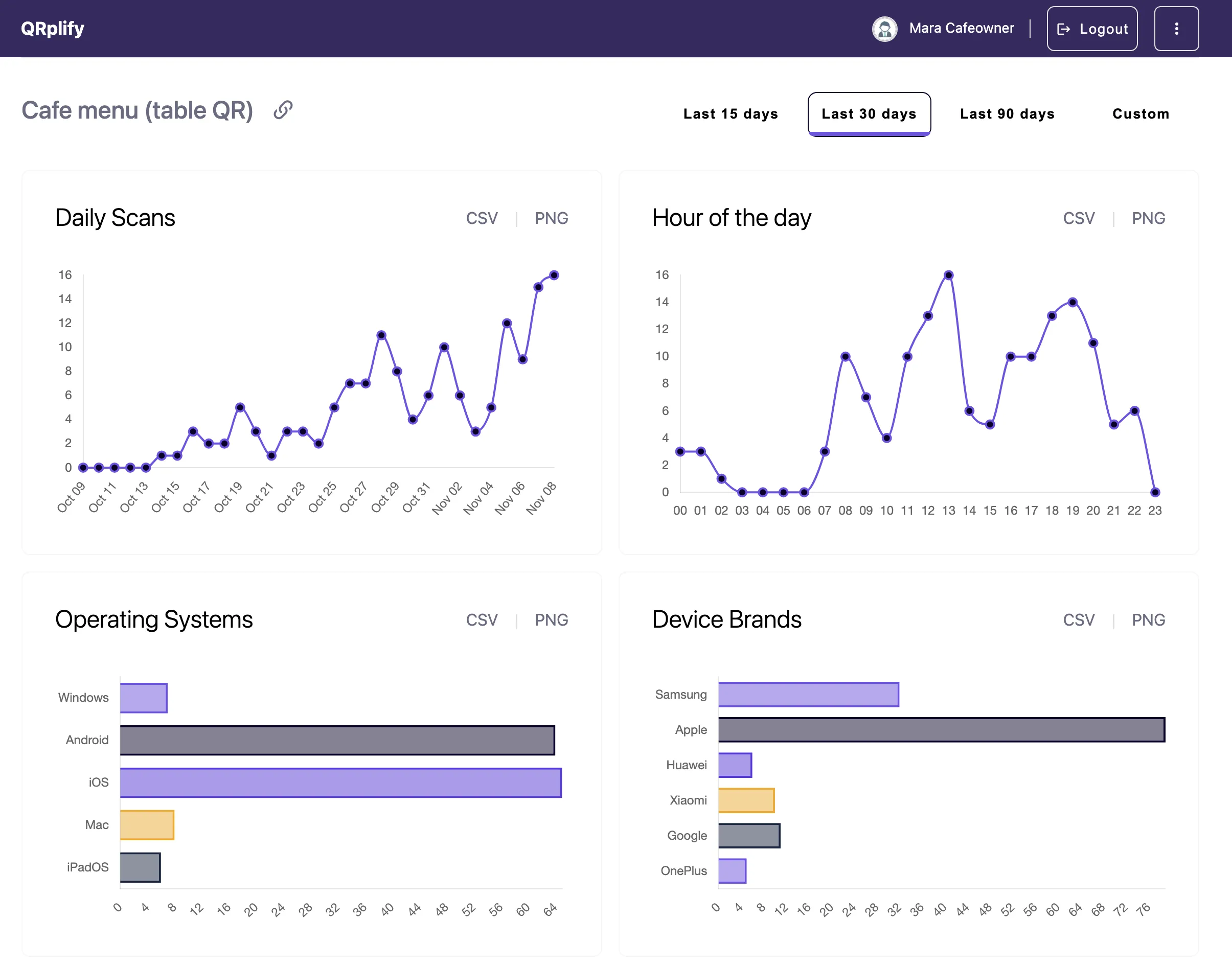
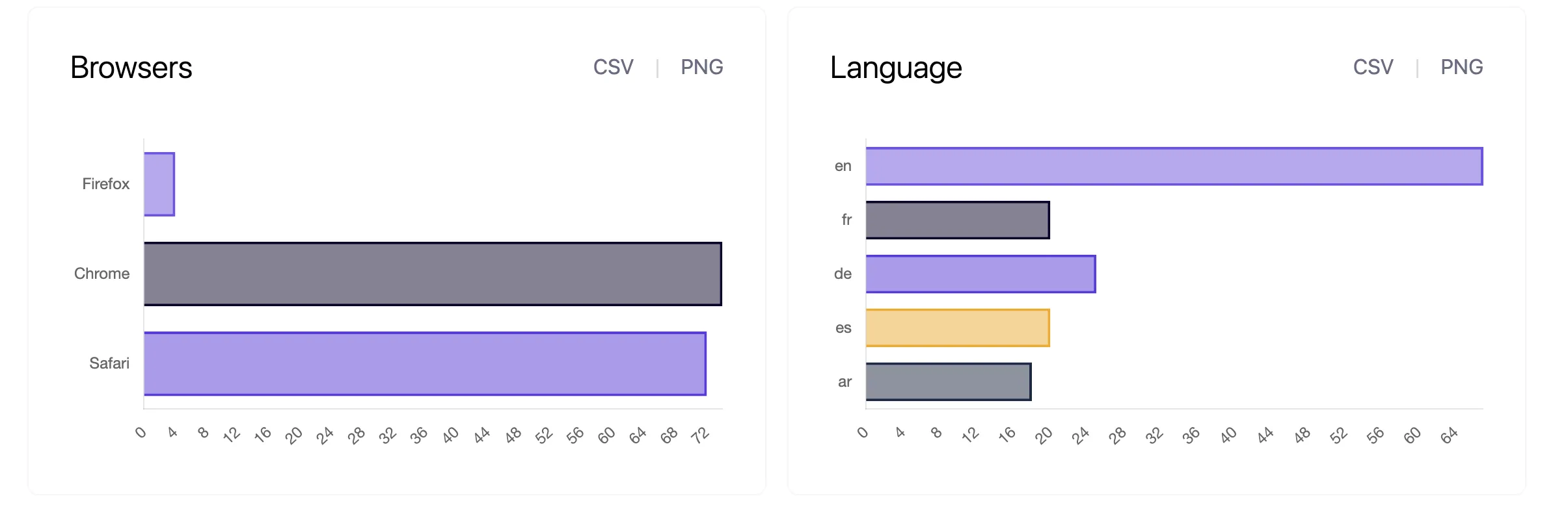
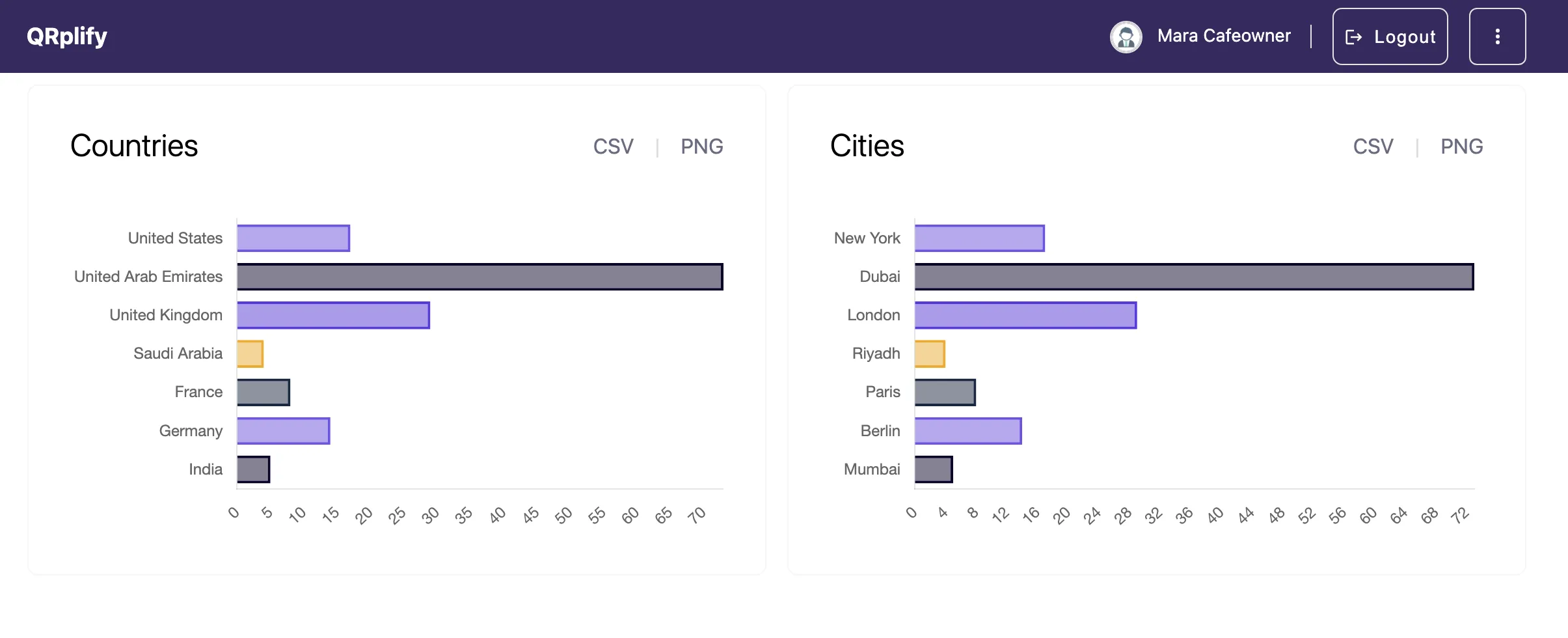
- Daily scans, hour of day, countries and cities, device brands, operating systems, browsers and language.
- Date range
- The last 15, 30 or 90 days, or a custom range.
- Export
- Any report, as CSV or PNG.
- Location
- An estimate from the IP address: a country or a city, never a street.
- Plans
- Every plan, Free included. On Free, past 100 scans a month, a QRplify screen shows for 3 seconds before the link opens.
What you see
What does QR code tracking show?
For each dynamic code, your account shows:
- Daily scans
- Hour of day
- Countries and cities
- Device brands
- Operating systems
- Browsers
- Language
Pick the last 15, 30 or 90 days or a custom range, and export the reports as CSV or PNG.
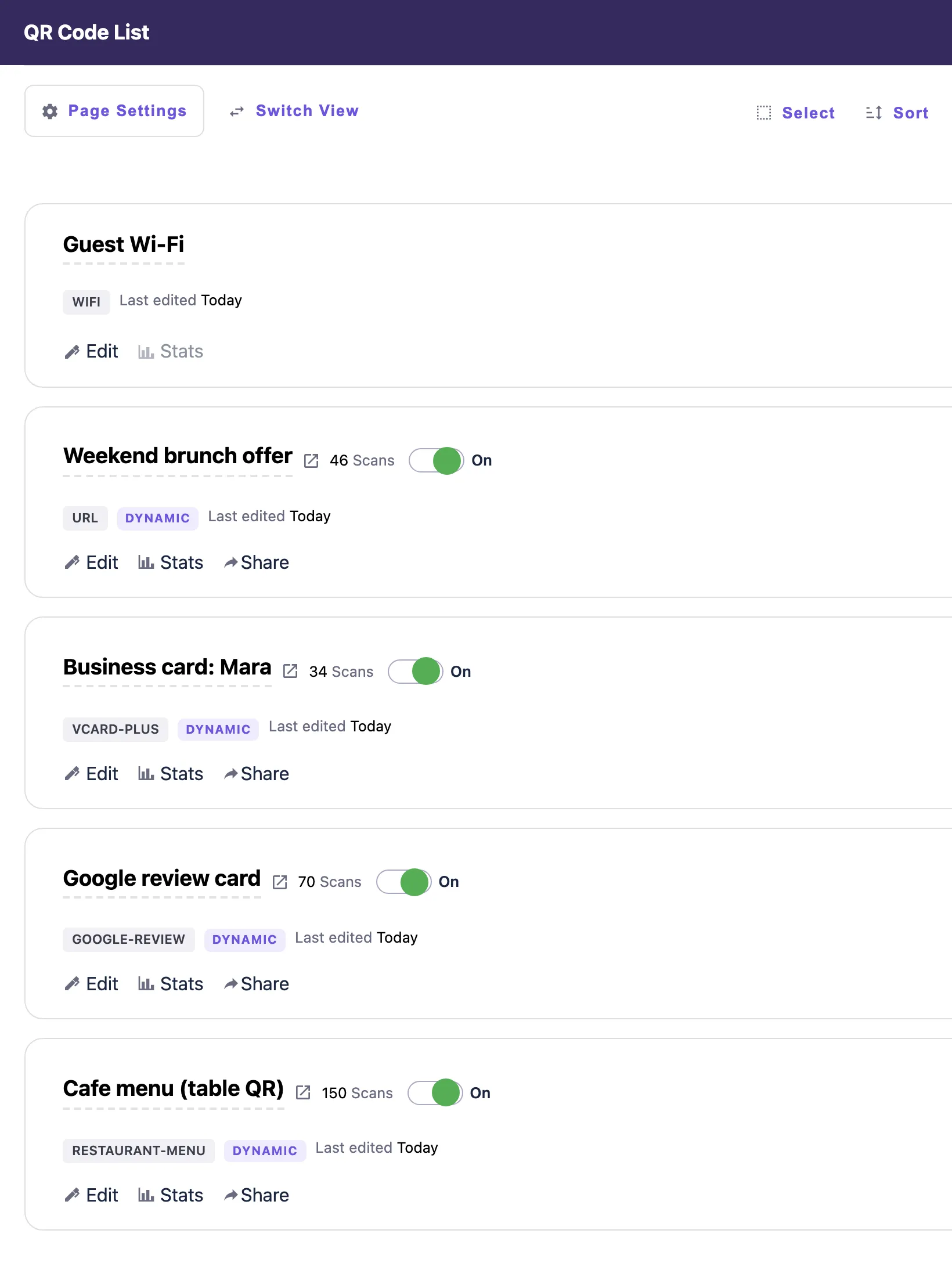
Your codes list shows the scan count of each dynamic code. Compare stats puts all your codes in 1 table: total scans per code, split by Android, iOS, Mac, Windows and Linux, with date and folder filters and CSV export.
How it works
How does QRplify track a scan?
Through the short link inside the code. Every scan passes through it before it reaches your page, so your account records the scan.
- Make a dynamic codeIn your account. Every plan has unlimited dynamic codes.
- Print or share itThe code holds a short link that QRplify hosts.
- Read the scansEach scan passes through the short link on its way to your page, and your account records it.
The location is an estimate. It comes from the IP address, so it names a country or a city, never a street, and a VPN or a mobile network can place a scan somewhere else.
A static code holds your link itself, so the phone goes straight to your page and no server sees the scan. Static or dynamic explains which code to pick.
To see the visits in Google Analytics too, add UTM tags to the code’s link. How to track QR code scans shows the steps and what each scan records.
Plans
Which plans include QR code tracking?
Every plan has analytics and unlimited dynamic codes and scans, Free included. The plans differ in the QRplify screen: Free shows it on scans past 100 a month, Premium keeps it off 5 codes, and Unlimited keeps it off every code.
Every new account starts with 14 days of Premium, no card needed.
-
Free
$0 forever
Unlimited scans: 100 a month with no QRplify screen
-
Premium
$7.49 a month
Unlimited scans: no QRplify screen on 5 codes
-
Unlimited
$34.49 a month
Unlimited scans, never a QRplify screen
-
Lifetime
$279 once
Unlimited scans, never a QRplify screen
On every plan
- Analytics (location, device, time)
- Unlimited dynamic / editable QR codes
- Google Analytics, through UTM tags
- Add UTM tags to any dynamic link
- Set a scan limit in a code's link settings
In the app
What does it look like in the app?
FAQ
QR code tracking questions
Short answers, from what the app does today.
Can you track a QR code?
Yes, when it is a dynamic code. A dynamic code holds a short link, so each scan passes through QRplify on its way to your page and your account records it. A static code sends the phone straight to your page, so no server sees the scan.
What does QRplify’s QR code analytics show?
Daily scans, hour of day, countries and cities, device brands, operating systems, browsers and language, for each dynamic code. Pick the last 15, 30 or 90 days or a custom range. Compare stats puts all your codes in 1 table, with total scans per code by operating system.
Is QR code tracking free?
Yes. Analytics are on every plan, Free included, and every plan has unlimited dynamic codes and scans. On Free, past 100 scans a month, a QRplify screen shows for 3 seconds before the link opens.
Can I export my scan data?
Yes. Export any analytics report as CSV or PNG.
How accurate is the scan location?
It is an estimate from the IP address of the scan: a country and usually a city, never a street. A VPN or a mobile network can place a scan somewhere else. QRplify does not track GPS locations.
Can I see QR code scans in Google Analytics?
You see the visits the scans bring. Add UTM tags to the code’s link and Google Analytics counts each visit. It counts a visit only when its tag loads on your page, so QRplify can show a scan that Google Analytics never sees.
Can I limit how many times a code is scanned?
Yes. Set an allowed scans limit in the code’s link settings, and the code stops working once it is reached.
Get started
Track your first scan
Static codes need no account. A free account adds unlimited dynamic codes that keep working, with no card.