

QR code landing pages
A QR code landing page is a mobile page that QRplify hosts and your dynamic code opens. Build it in your account with links, video, audio, lead forms and custom HTML, on every plan, Free included.
In short
The short answer
- What it is
- A page QRplify hosts. Your code opens it through a short link, so you can change the page after printing.
- Page types
- Website Builder, Biolinks, Digital Business Card, vCard Plus, Restaurant Menu, Product Catalogue and Lead Generation Form.
- On the page
- Links, images, video, audio, YouTube, FAQs, files, PayPal and UPI buttons and lead forms, as blocks you sort.
- Lead forms
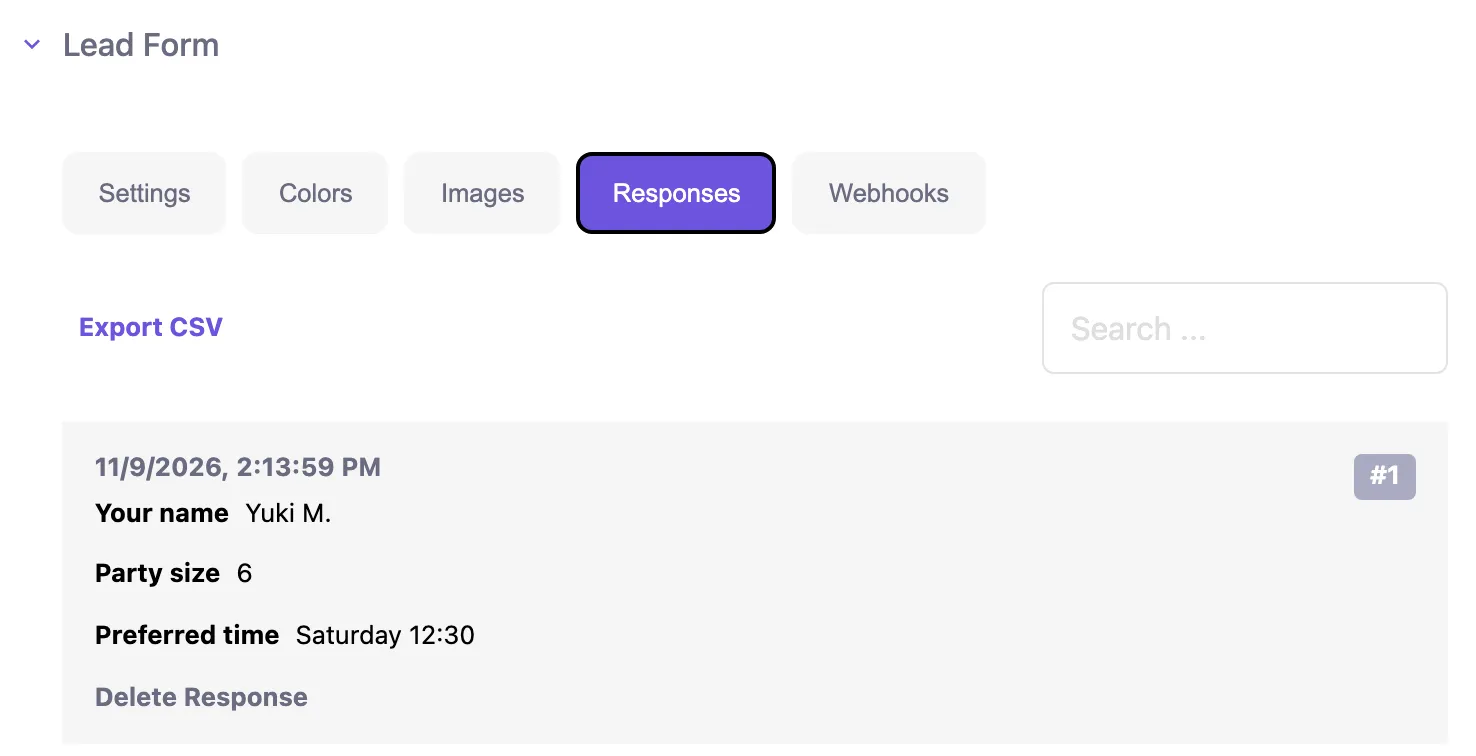
- Answers land in your Responses tab, with CSV export, an email to each address you list and up to 5 webhooks.
- Custom HTML
- Turn on Custom Code and paste HTML that goes at the bottom of the page.
- Plans
- Every plan, Free included. Uploads go up to 5MB on Free, 10MB on Premium and 50MB on Unlimited and Lifetime.
What it is
What is a QR code landing page?
A mobile page that opens when someone scans your code. QRplify hosts the page in your account, and the code opens it through a short link. Pick the page type that fits:
- Website Builder
- Biolinks
- Digital Business Card
- vCard Plus
- Restaurant Menu
- Product Catalogue
- Lead Generation Form
Edit the page and the printed code opens the new version, so there is nothing to reprint.
Each scan of the page is counted by time, place and device. QR code tracking shows what you see.
Already have a website? A free static code that opens its address does the job, and you keep editing the page on your own site.
Blocks
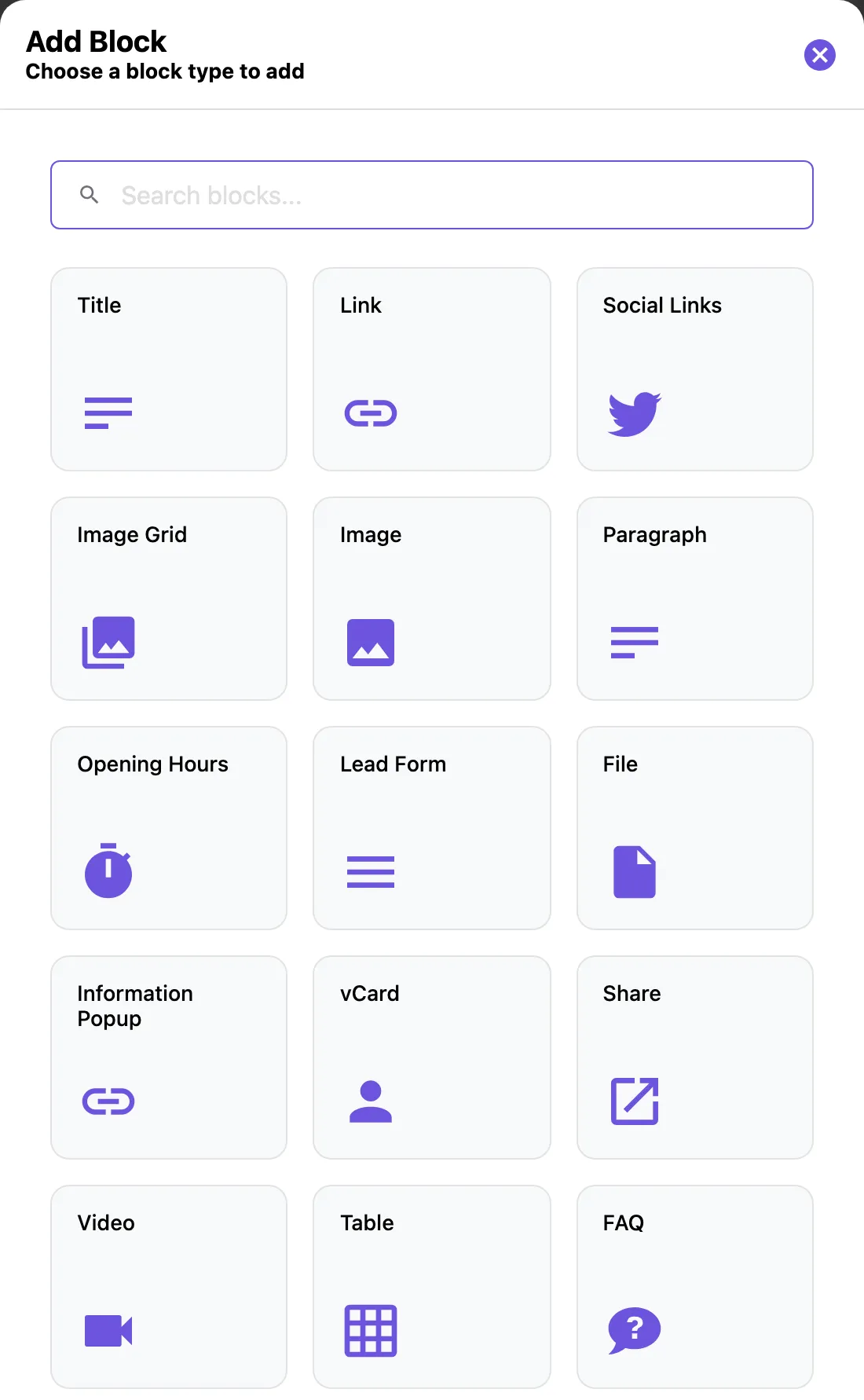
What can you put on a QR code page?
Blocks. On a bio page you add the blocks you want and sort them, so the main action comes first:
- Links and social links
- Text and titles
- Images, grids and carousels
- Video
- YouTube
- Audio
- Lead form
- Files
- vCard
- Opening hours
- FAQ
- Google Review
- PayPal and UPI
- Custom code
The Video block plays a video file you upload, and the Audio block lets you record your voice or upload an audio file. A page can also open with a video banner, or use a video as its background.
The Website Builder works on a full page: drag sections into the canvas, in 1, 2 or 3 columns, with text, images, video, tables, maps and forms.
For your own code, turn on Custom Code in the settings of a menu, catalogue, business profile or lead form page, and paste HTML that goes at the bottom of the page. Bio pages take it as a Custom Code block.
Lead forms
How do you collect leads with a QR code?
With a lead form. It asks your questions on the page, and every answer lands in your account.
- Add your questionsText, Phone, Email, Date, Text Area, Choices, Rating or Stars, each required or optional.
- Pick what happens nextSend people to a link after they submit, or keep them on the page.
- Read the answersIn the Responses tab: search them, or download them all with Export CSV.
Each answer can also go by email to every address you list, and to up to 5 webhooks.
Use a Lead Generation Form code for a form on its own, or add a lead form to a bio page or a business profile page.
QRplify keeps each answer with the IP address it was sent from. You tell the people who fill in your form how you use their answers.
How it works
How do you make a QR code landing page?
In your account, in 5 steps:
- Open a free accountNo card needed.
- Pick the page typeStart a new code and choose its type, such as Biolinks or Website Builder.
- Add and sort the blocksPut the main action at the top.
- Style the pageSet the banner, the background, its color and the page language in Settings.
- Design and download the codeStyle the code, then download it as PNG or SVG.
Scan the code with at least 2 phones before you print.
Templates
Can you reuse a page as a template?
Yes. On a computer, open a saved code, select the menu at the top right of its form and pick Save as Template.
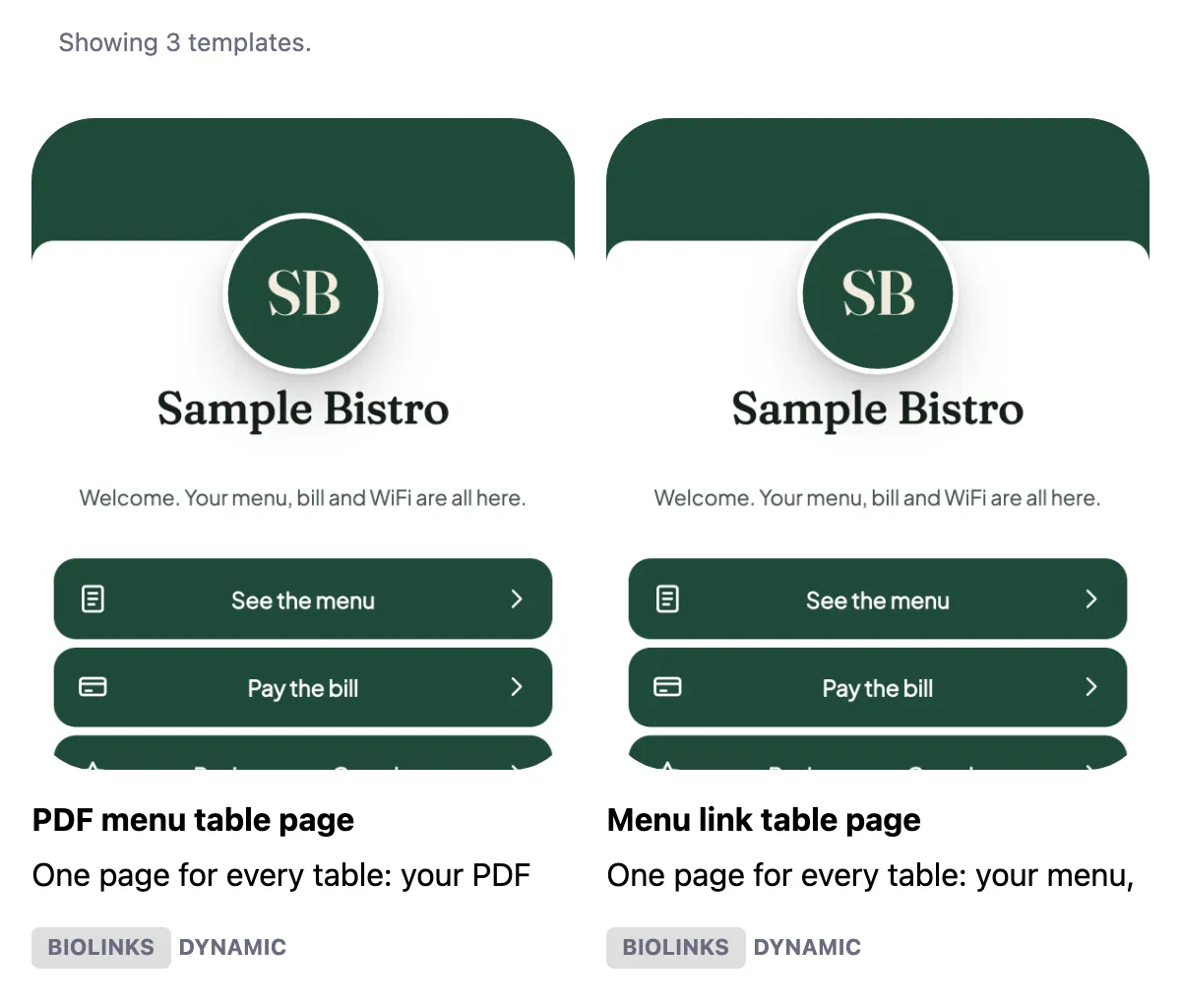
Your templates sit on your Templates page. Select one to create a new code from it.
Saving a code as a template takes it out of your codes list and your folders.
Making many codes at once? Bulk import can attach a template, so every design stays the same.
Plans
Which plans include landing pages?
Every plan has landing pages, lead forms, audio and video, custom HTML and templates, Free included. The plans differ in the largest file you can upload: 5MB on Free, 10MB on Premium and 50MB on Unlimited and Lifetime.
They differ in branding too. Free pages carry a QRplify footer credit, Premium hides it, and Unlimited and Lifetime show no QRplify branding at all. On Free, past 100 scans a month, a QRplify screen shows for 3 seconds before the page opens. Premium keeps it off 5 codes, and Unlimited keeps it off every code.
White label QR codes shows what each plan keeps of the QRplify branding.
Every new account starts with 14 days of Premium, no card needed.
-
Free
$0 forever
5MB file upload
-
Premium
$7.49 a month
10MB file upload
-
Unlimited
$34.49 a month
50MB file upload
-
Lifetime
$279 once
50MB file upload
On every plan
- Customizable landing pages
- Lead form + audio + video on QR pages
- Custom HTML on QR pages
- Templates
- Unlimited dynamic / editable QR codes
In the app
What does it look like in the app?
FAQ
QR code landing page questions
Short answers, from what the app does today.
What is a QR code landing page?
A mobile page that opens when someone scans the code. In QRplify, the page is hosted in your account and the code opens it through a short link, so you can change the page after printing.
Can I make a QR code landing page for free?
Yes. Landing pages, lead forms, audio, video, custom HTML and templates are on every plan, Free included, and signing up needs no card. On Free, past 100 scans a month, a QRplify screen shows for 3 seconds before the page opens.
Can I put a video on a QR code page?
Yes. Add a Video block with a file you upload, or a YouTube block, and the page can use a video as its banner or background. The largest file you can upload is 5MB on Free, 10MB on Premium and 50MB on Unlimited and Lifetime.
Can a QR code play audio?
Yes, from a page. Add an Audio block to a bio page, then record your voice or upload an audio file.
How do I collect leads with a QR code?
Use a Lead Generation Form code, or add a lead form to a bio page. Answers land in your Responses tab, with CSV export, and can also go by email and to up to 5 webhooks.
Can I change the page after the QR code is printed?
Yes. Edit the page and the printed code opens the new version. The code holds a short link that QRplify hosts, and that link stays the same when the page changes.
Do I need a QR code landing page if I have a website?
No. A free static code that opens your site’s address does the job, with no account. A QRplify page helps when you want to edit the page after printing and count its scans in 1 place.
Get started
Build your first page
Static codes need no account. A free account adds unlimited dynamic codes that keep working, with no card.