

QR code with logo and your own design
Add your logo to a QR code in QRplify and style it with 59 shapes, 13 stickers and 15 modules. It comes with every plan, Free included, and downloads as PNG or SVG up to 4k.
In short
The short answer
- Your logo
- Upload a PNG or JPG. Set its size, position and rotation, and put a circle or square behind it.
- Design
- 59 shapes, 13 stickers and 15 modules.
- Colours
- A solid colour, a gradient or an image for the code, and your own background.
- Scanning
- Keep a centred logo within 30% of the width, at error level Q or H.
- Download
- PNG or SVG, up to 4k. SVG stays sharp at any print size.
- Plans
- Every plan, Free included. The free generator styles a static code with no account.
What you can change
How do you customize a QR code?
In the Design step of a code, the app gives you 6 groups:
- Frame: 13 stickers that sit around the code, with your own text, such as Scan me
- Colors: a solid colour, a gradient or an image, and the background
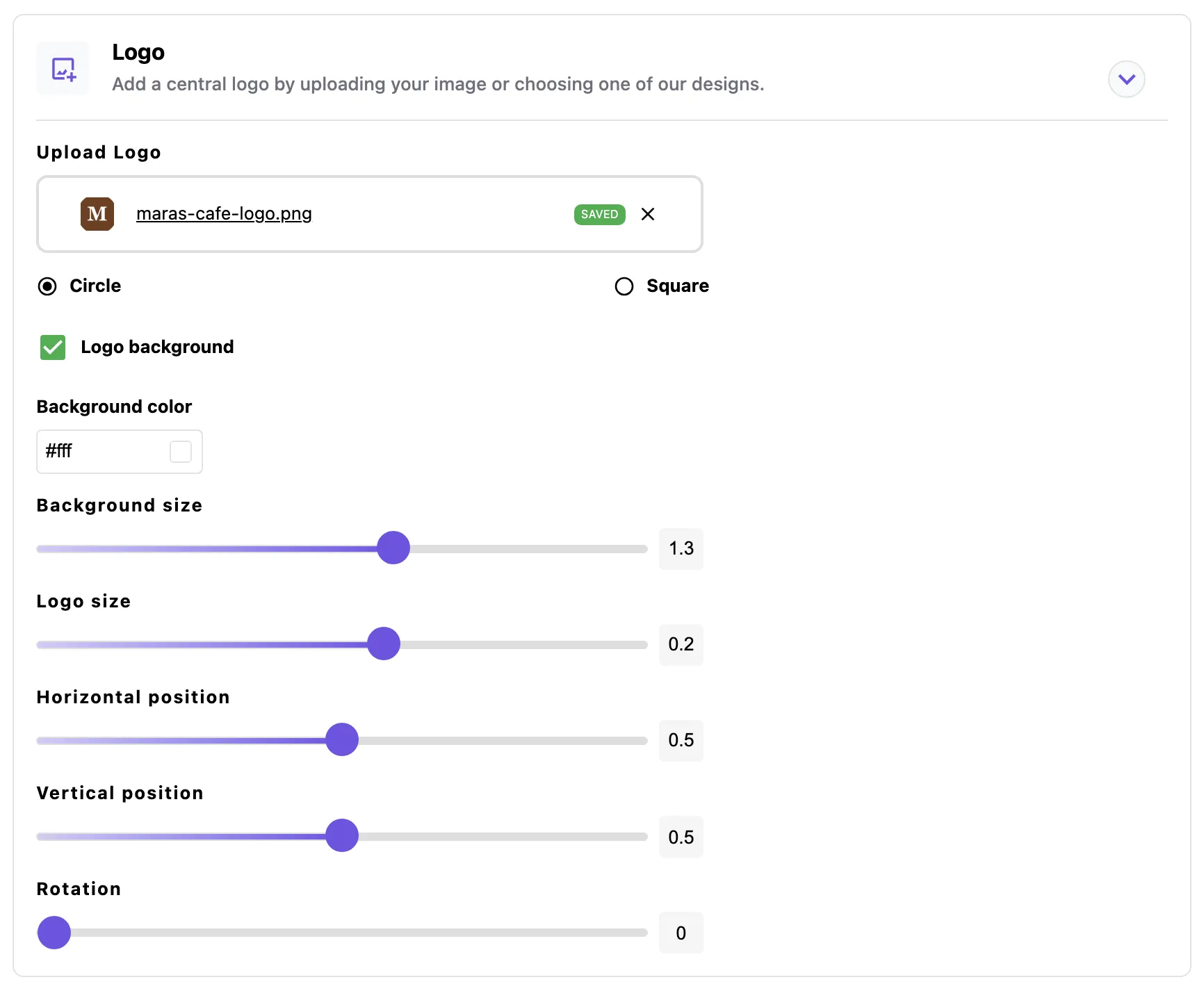
- Logo: your own image, with its size, position, rotation and background
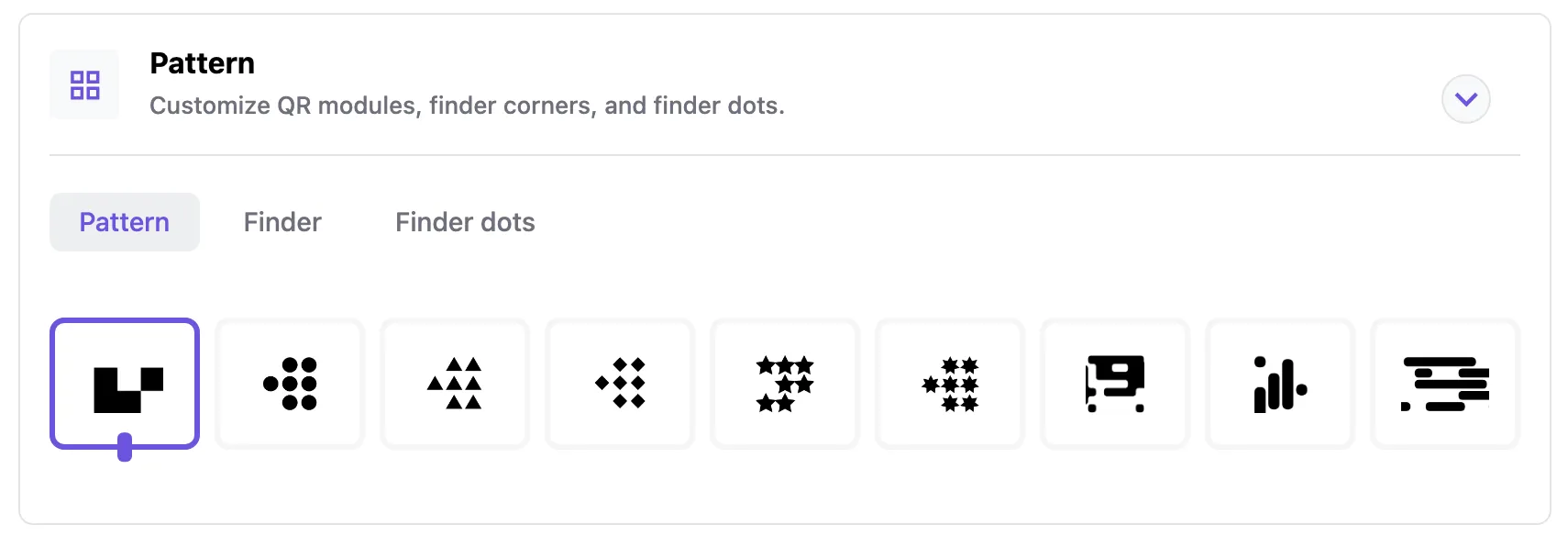
- Pattern: 15 modules, and the style of the 3 corner squares and their dots
- Shape: 59 outer shapes, with a frame colour
- Level: error correction from L to H, which rebuilds up to 30% of the code
Like a design? Save the code as a template from its menu on a computer, and start your next code from it with the same design.
Every plan has unlimited custom designs, Free included.
How it works
How do you add a logo to a QR code?
Upload it in the Design step of the code. It takes 4 steps:
- Make the codePick its type and add your link or details.
- Upload your logoIn the Design step, open Logo and upload a PNG or JPG.
- Place itSet its size, position and rotation, and add a circle or square background so it stands clear of the code.
- Download itSave the code as PNG or SVG, up to 4k.
A logo covers part of the code, and error correction rebuilds what it hides. In our test, a logo read on both readers at level H, and as a clean file it failed both at level L.
Keep a centred logo within 30% of the width, at level Q or H, and leave the 3 corner squares whole. QR code best practices has the tested design rules.
No account yet? The free generator sets colours, shape, a centre logo and a frame on a static code, and raises error correction to High when you add a logo, unless you picked a level yourself.
Plans
Which plans include a QR code logo?
Every plan has the logo, the 59 shapes, 13 stickers and 15 modules, templates and PNG and SVG downloads, Free included. The plans differ in the QRplify screen: Free shows it on scans past 100 a month, Premium keeps it off 5 codes, and Unlimited keeps it off every code.
-
Free
$0 forever
Unlimited scans: 100 a month with no QRplify screen
-
Premium
$7.49 a month
Unlimited scans: no QRplify screen on 5 codes
-
Unlimited
$34.49 a month
Unlimited scans, never a QRplify screen
-
Lifetime
$279 once
Unlimited scans, never a QRplify screen
On every plan
- Add logo to QR code
- 59 shapes, 13 stickers, 15 modules
- Unlimited custom QR designs
- Templates
- PNG & SVG download, up to 4k
In the app
What does it look like in the app?
FAQ
QR code logo questions
Short answers, from what the app does today.
How do I put a logo in a QR code?
Make the code, then open Logo in its Design step and upload your logo as a PNG or JPG. Set its size and position, then download the code as PNG or SVG.
Can I add a logo to a QR code for free?
Yes. The logo is on every QRplify plan, Free included. The free generator also adds a centre logo to a static code with no account.
Will a logo stop my QR code from scanning?
Not when it stays within 30% of the width at error level Q or H. Error correction rebuilds the part the logo covers. Scan the final file on 2 phones before you print.
Can I change the colours of my QR code?
Yes: a solid colour, a gradient or an image, on your own background. Keep the code dark on a light background, at a contrast of 3.5:1 or higher.
Which file format is best for printing a QR code?
SVG, because it stays sharp at any size. PNG downloads go up to 4k.
Can I download my QR code as EPS or PDF?
Not yet. EPS and PDF downloads are coming soon. Today every plan downloads PNG and SVG, up to 4k.
Can I reuse a QR code design?
Yes. Save a code as a template from its menu, then start new codes from it with the same design. Templates are on every plan.
Get started
Put your logo on your first code
Static codes need no account. A free account adds unlimited dynamic codes that keep working, with no card.