

QR code generator for teams
QRplify Unlimited and Lifetime have unlimited users. Invite each teammate by email to the folders they work on, and they sign in with their own email. Free and Premium have 1 user.
In short
The short answer
- Users
- Unlimited on Unlimited and Lifetime. Free and Premium have 1 user.
- Invite
- From the Team tab in My Account: a name, an email and the folders to share.
- Sign in
- Each teammate sets a password from the invitation email and signs in with their own email. The link works once, for 72 hours.
- Access
- A teammate works on the codes in the folders you share with them, and sees no others.
- Roles
- There is no role to pick. The folders you share set what each teammate works on.
- Billing
- Teammates work under your plan. Only you can change, renew or cancel it.
Team access
Can a team share 1 QRplify account?
Yes, on Unlimited and Lifetime. Each teammate gets their own sign-in, and works on the codes in the folders you share with them:
- Their own email and password
- Only the codes in their shared folders
- Your plan, so no plan of their own to pay for
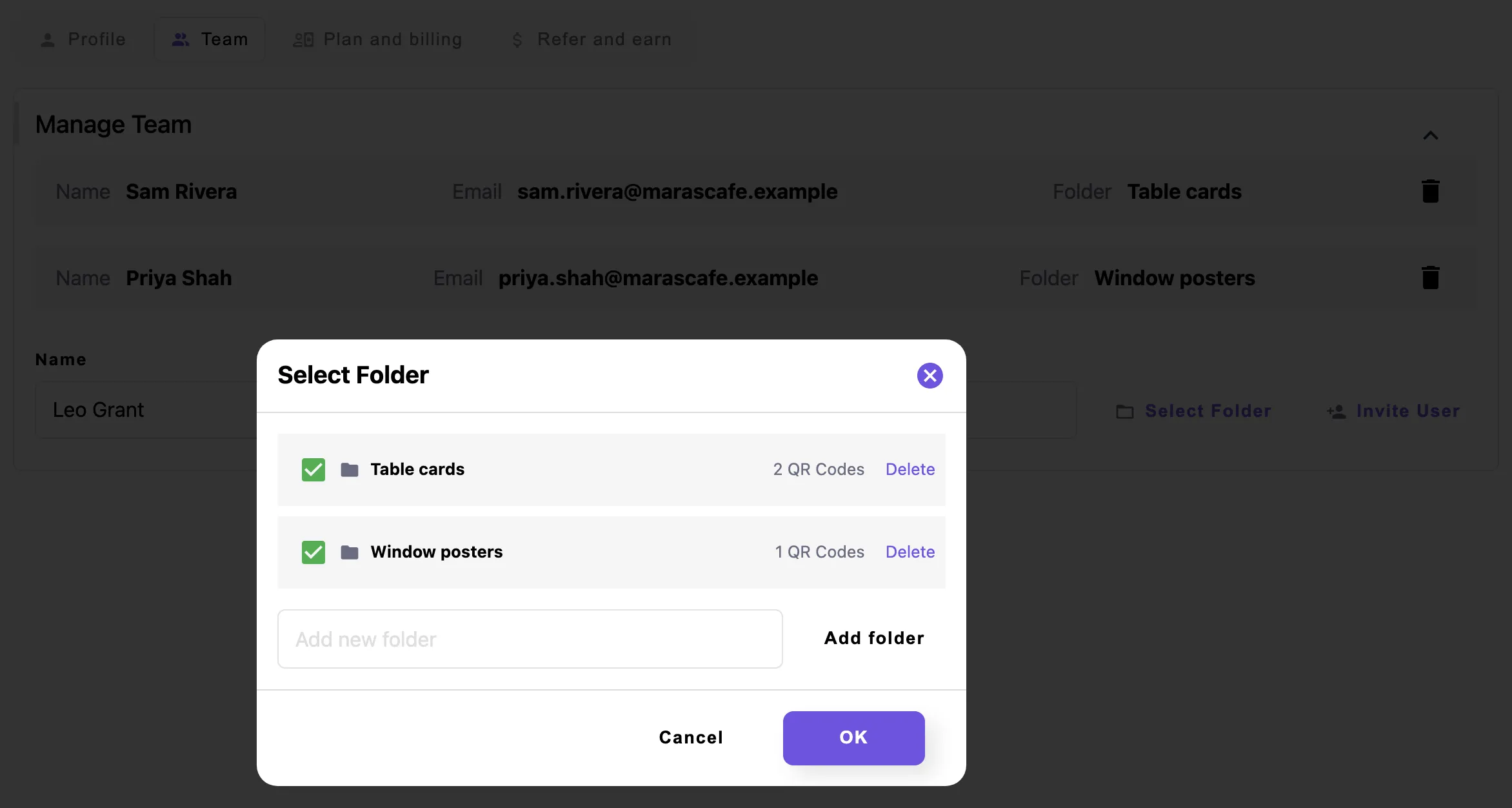
Folders are how you split the work. Sort your codes into folders for campaigns, locations, clients or teams, then share each folder with the people who run it.
Password protected QR codes and folders shows how to make a folder and move codes into it.
There are no roles to set. Every teammate has the same access to the folders they are given.
Billing stays with you. A teammate cannot change, renew or cancel your plan.
How it works
How do I invite a teammate?
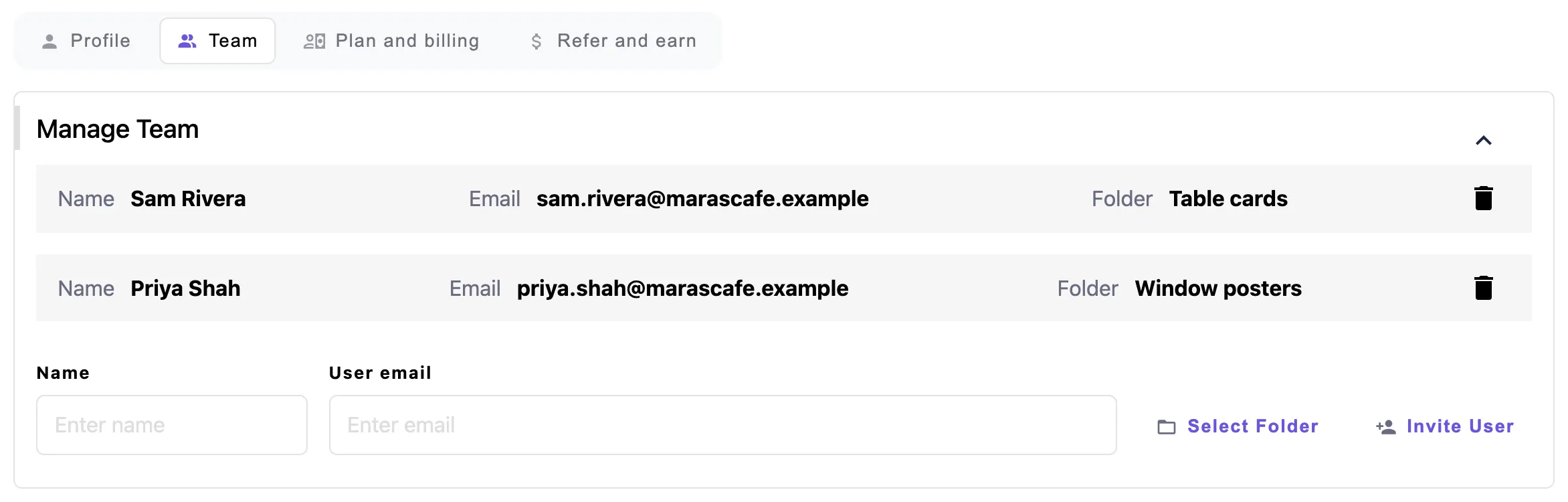
From the Team tab in My Account. Enter their name and email, pick the folders, and send the invitation.
- Open the Team tabIn My Account, on Unlimited or Lifetime.
- Add their detailsTheir name, their email and at least 1 folder to share.
- Send the invitationThey get an email from QRplify with a button to set their password.
- Work togetherOnce their password is set, they sign in and work on the codes in their folders.
Confirm your own email address before you send the first invitation.
The button in the invitation works once, for 72 hours. After that, your teammate uses Forgot password on the sign-in page to get a new link.
The Team tab lists each teammate with their email and folders. Remove someone there, and the codes they made stay in your account.
Plans
Which plans include team members?
Unlimited and Lifetime add unlimited users. Unlimited is $34.49 a month, and Lifetime is $279 once. Free and Premium come with 1 user, the account owner.
Every new account starts with 14 days of Premium, no card needed. The trial is Premium, so it has 1 user too.
-
Free
$0 forever
1 user
-
Premium
$7.49 a month
1 user
-
Unlimited
$34.49 a month
Unlimited users
-
Lifetime
$279 once
Unlimited users
On every plan
- Folders + password protection
- Unlimited dynamic / editable QR codes
In the app
What does it look like in the app?
FAQ
Team member questions
Short answers, from what the app does today.
Can I add users to my QRplify account?
Yes, on Unlimited and Lifetime, with no limit on how many. Free and Premium come with 1 user, the account owner.
Does the free trial include team members?
No. Every new account starts with 14 days of Premium, and Premium has 1 user. Team members come with Unlimited and Lifetime.
Can I control what each team member sees?
Yes, by folder. A team member sees and works on only the codes in the folders you share with them. There are no roles to set.
How does a team member sign in?
With their own email. The invitation email has a button to set their password, which works once, for 72 hours. After that, they use Forgot password on the sign-in page.
Do I pay for each user?
No. Unlimited is $34.49 a month and Lifetime is $279 once, with unlimited users on both. Your teammates work under your plan.
What happens to the codes when I remove a team member?
They stay. The codes that team member made move to your account, and only their sign-in goes.
Get started
Bring your team
Start free, with 14 days of Premium and no card. Move to Unlimited or Lifetime when your team is ready to join.