

Editable QR codes
An editable QR code holds a short link, so you change where it points in your account and the printed code follows, with no reprint. QRplify has unlimited editable codes on every plan, Free included, and they never expire.
In short
The short answer
- Where it points
- Change it any time. The printed code follows, with no reprint.
- Its type
- Change the type of a code after you make it, from its edit page.
- On or off
- Turn a dynamic code off when a campaign ends, and on again later.
- Copies
- Copy any code, as many times as you ask for.
- Expiry
- None. Codes keep working and stay editable when a trial or a plan ends.
- Plans
- Every plan, Free included. On Free, past 100 scans a month, a QRplify screen shows for 3 seconds before the link opens.
The idea
What is an editable QR code?
A dynamic code: it holds a short link in your account, and the short link sends each scan to the page you set. Change that page and the printed code follows.
The printed pattern never changes, because the short link in it never does.
A static code holds your link itself, so it can never be edited, and a new link needs a new code. Static or dynamic explains which code to pick.
What you can change
What can you change after printing?
Where the code points, its type, and whether it is on. You can also copy any code.
- Where it points
- Its type
- On or off
- Copies
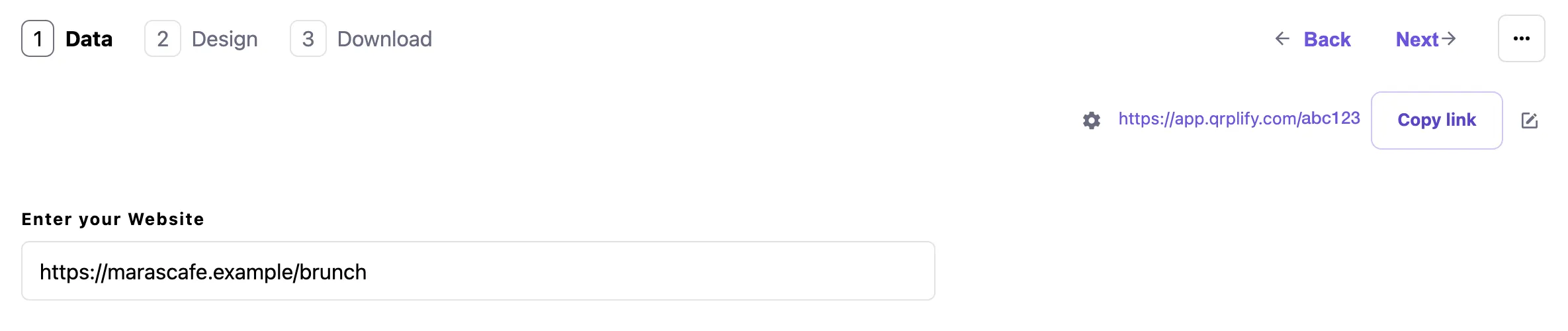
Change where it points in your account, and the next scan after you save goes to the new page.
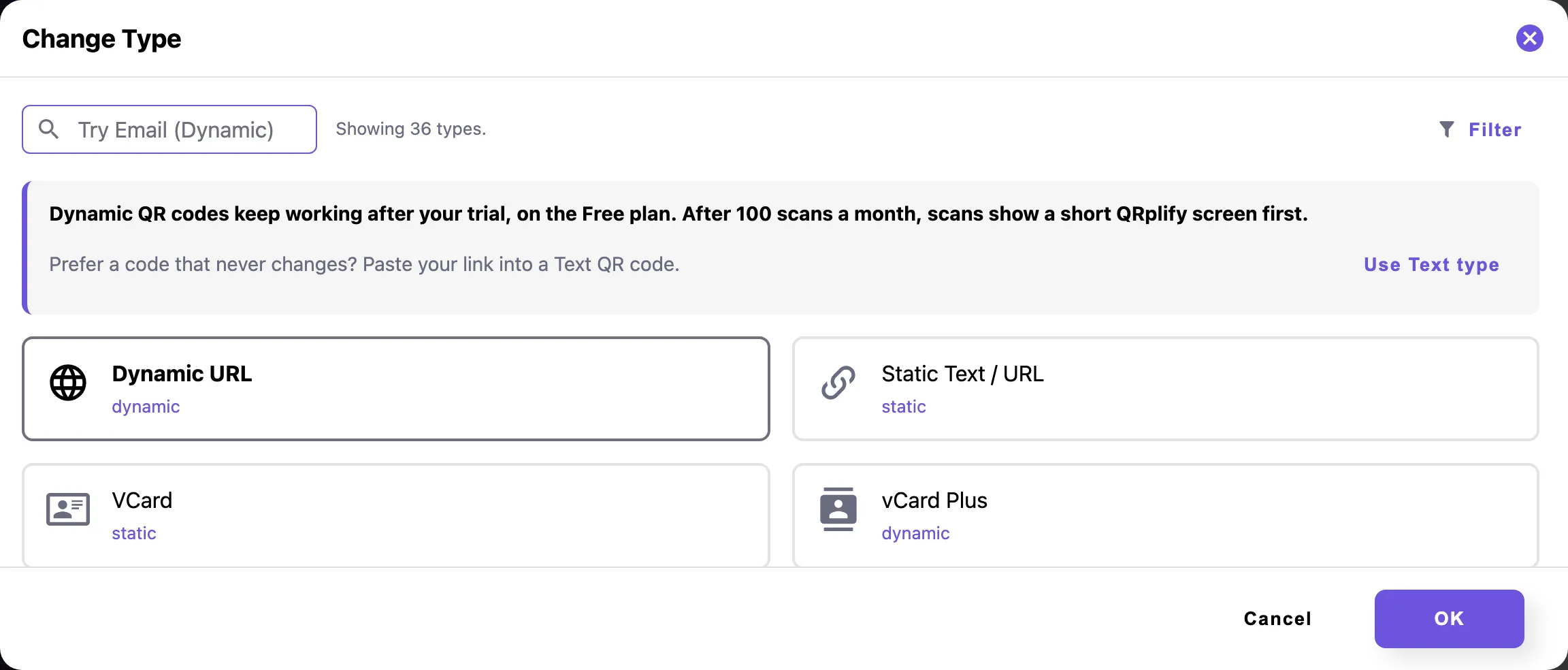
Change its type from the menu at the top of the code’s edit page: Change Type.
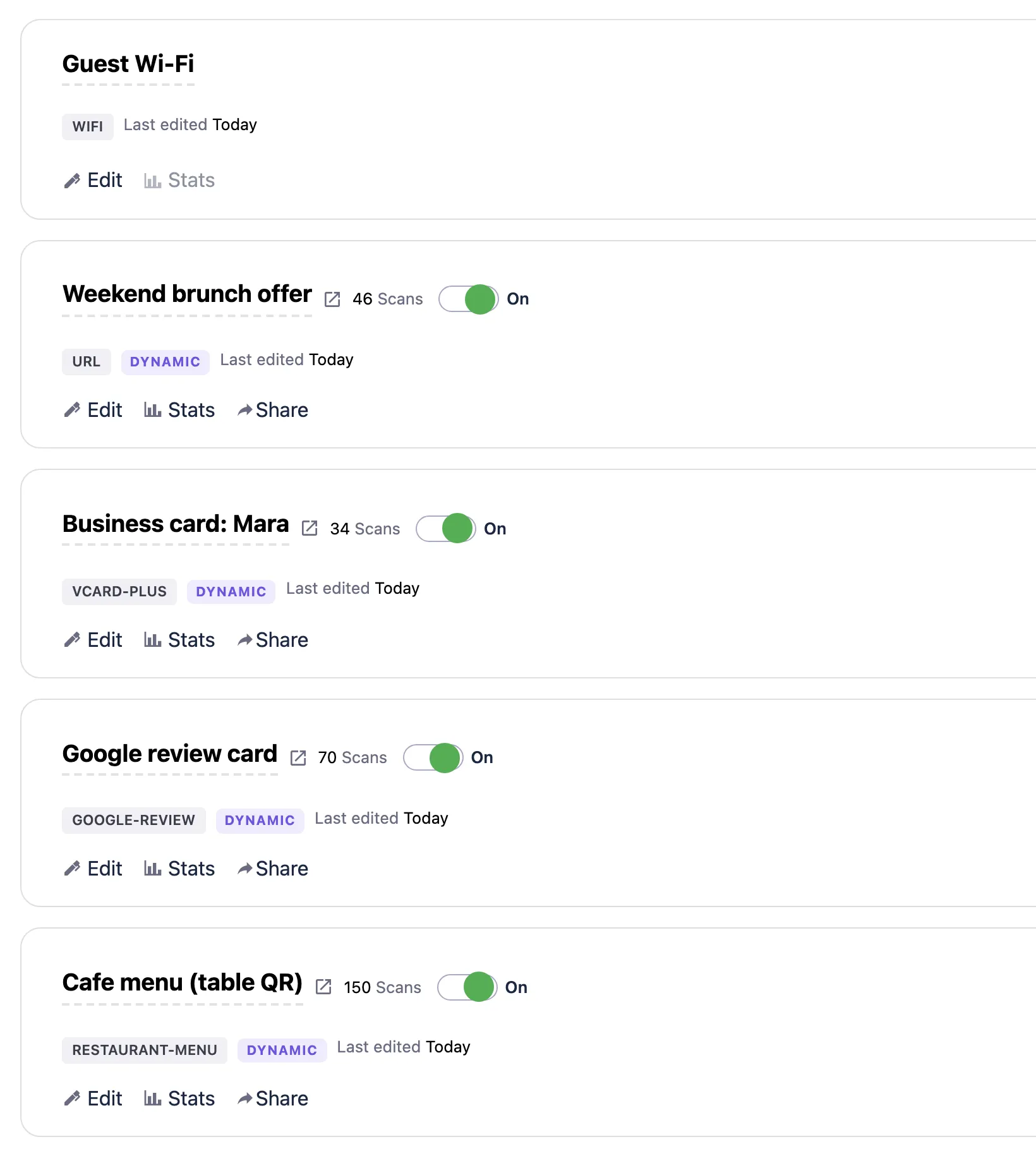
Turn a dynamic code off with the switch beside it in your codes list, to stop its traffic when a campaign ends, and turn it on again later.
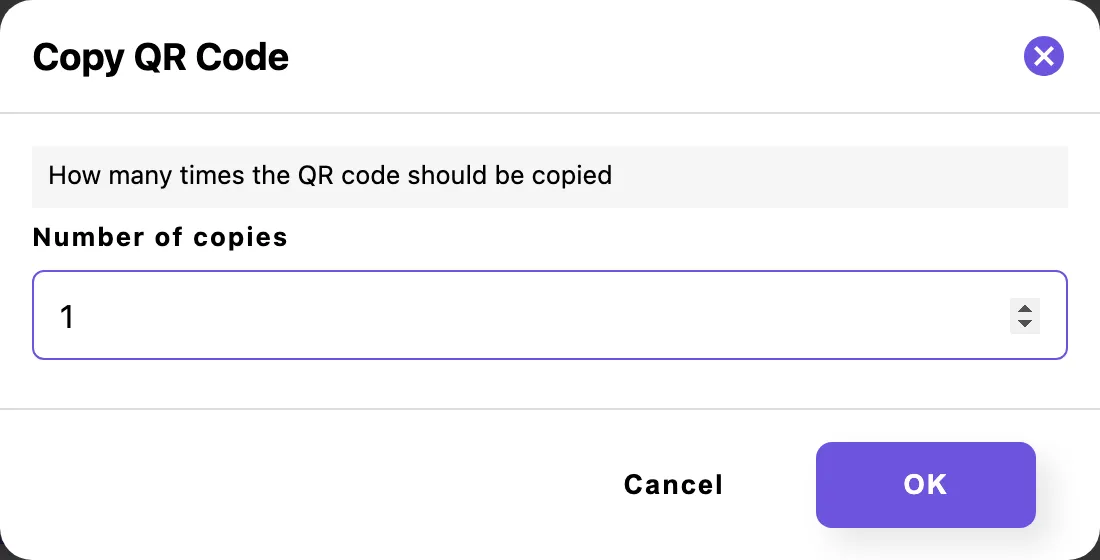
Copy a code from its menu in your codes list, and set how many copies you want.
Keep the short link itself as it is. The printed pattern holds it, so changing it breaks every printed copy. QR code custom domain and short links shows how to pick the short link and your own domain before you print.
Can you update a QR code link after printing? has the steps, and what to do with a static code already in print.
No expiry
What happens to your codes when a plan ends?
Nothing stops. When a paid plan or the trial ends, your account moves to the Free plan, and every code keeps working and stays editable.
No code is ever paused. On Free, past 100 scans a month, a QRplify screen shows for 3 seconds before the link opens.
A code has no end date. To make one stop on purpose, set an allowed scans limit in its link settings, and it stops working once the limit is reached.
Do QR codes expire? covers what stops each kind of code on other generators.
Plans
Which plans include editable QR codes?
Every plan has unlimited editable codes, Free included, with every change on this page. The plans differ in the QRplify screen: Free shows it on scans past 100 a month, Premium keeps it off 5 codes, and Unlimited keeps it off every code.
Every new account starts with 14 days of Premium, no card needed.
-
Free
$0 forever
Unlimited scans: 100 a month with no QRplify screen
-
Premium
$7.49 a month
Unlimited scans: no QRplify screen on 5 codes
-
Unlimited
$34.49 a month
Unlimited scans, never a QRplify screen
-
Lifetime
$279 once
Unlimited scans, never a QRplify screen
On every plan
- Unlimited dynamic / editable QR codes
- Change QR type after creation
- Duplicate / turn on or off
- QR codes don't expire
- Custom short links
In the app
What does it look like in the app?
FAQ
Editable QR code questions
Short answers, from what the app does today.
Can I change where my QR code points after printing?
Yes, if it is a dynamic code. A dynamic code holds a short link, so you change the destination in your account and the printed code follows. A static code holds the link itself, so a new link needs a new code.
How fast does a change reach a printed code?
The next scan after you save goes to the new destination. Scan a printed copy right after the change to check it.
Can I change the type of a QR code?
Yes, on every plan. Open the code’s edit page and pick Change Type from the menu at the top.
Can I turn a QR code off?
Yes, a dynamic code. Use the switch beside it in your codes list to stop its traffic, and turn it on again when you need it.
Can I duplicate a QR code?
Yes. Pick Copy from the code’s menu in your codes list and set the number of copies.
Do QRplify codes expire?
No. When a paid plan or the trial ends, your account moves to the Free plan, and every code keeps working and stays editable. Past 100 scans a month on Free, a QRplify screen shows for 3 seconds before the link opens.
What happens if I change the short link after printing?
The printed codes that hold the old short link can break unless you replace them. Once a code is in print, change where it points and keep the short link as it is.
Get started
Make a code you can change
Static codes are free with no account. A free account adds unlimited dynamic codes you can edit after printing.