

Password protected QR codes and folders
Put a 5-digit PIN on any dynamic code, so each scan opens a PIN page and your link only after the right PIN. Sort your codes into folders too. Both come with every plan, Free included.
In short
The short answer
- What it protects
- Any dynamic code. A static code holds your link itself, so it cannot ask for a PIN.
- The PIN
- 5 digits, numbers only.
- What a scan shows
- A PIN page. The right PIN opens your link, a wrong one brings the PIN page back.
- Removing it
- Leave the PIN empty and click OK.
- Folders
- Make them from any code’s row, and move 1 code or many at once.
- Plans
- Every plan, Free included.
What scanners see
How does a password protected QR code work?
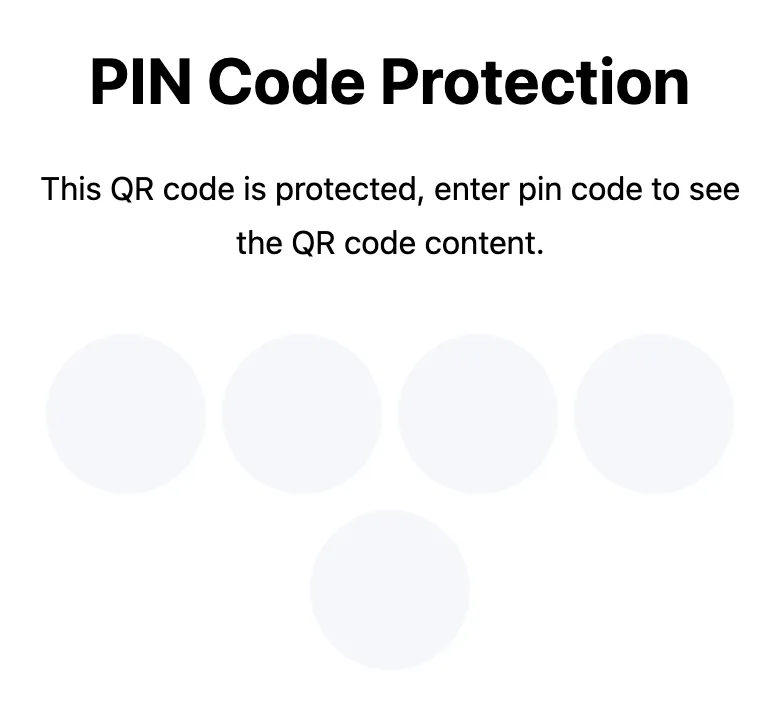
The scan opens a PIN page before anything else. The right PIN opens your link or your QRplify page. A wrong PIN brings the PIN page back.
Where the code leads stays hidden until the PIN is typed. On Free, past 100 scans a month, the QRplify screen shows for 3 seconds before the PIN page, and it does not name your link either.
On Free, a visit counts once toward the 100 scans a month before the QRplify screen, wrong tries included.
A PIN is a light gate for convenience, not high security. It suits staff-only links and pages for a small group.
How to add it
How do you add a PIN to a QR code?
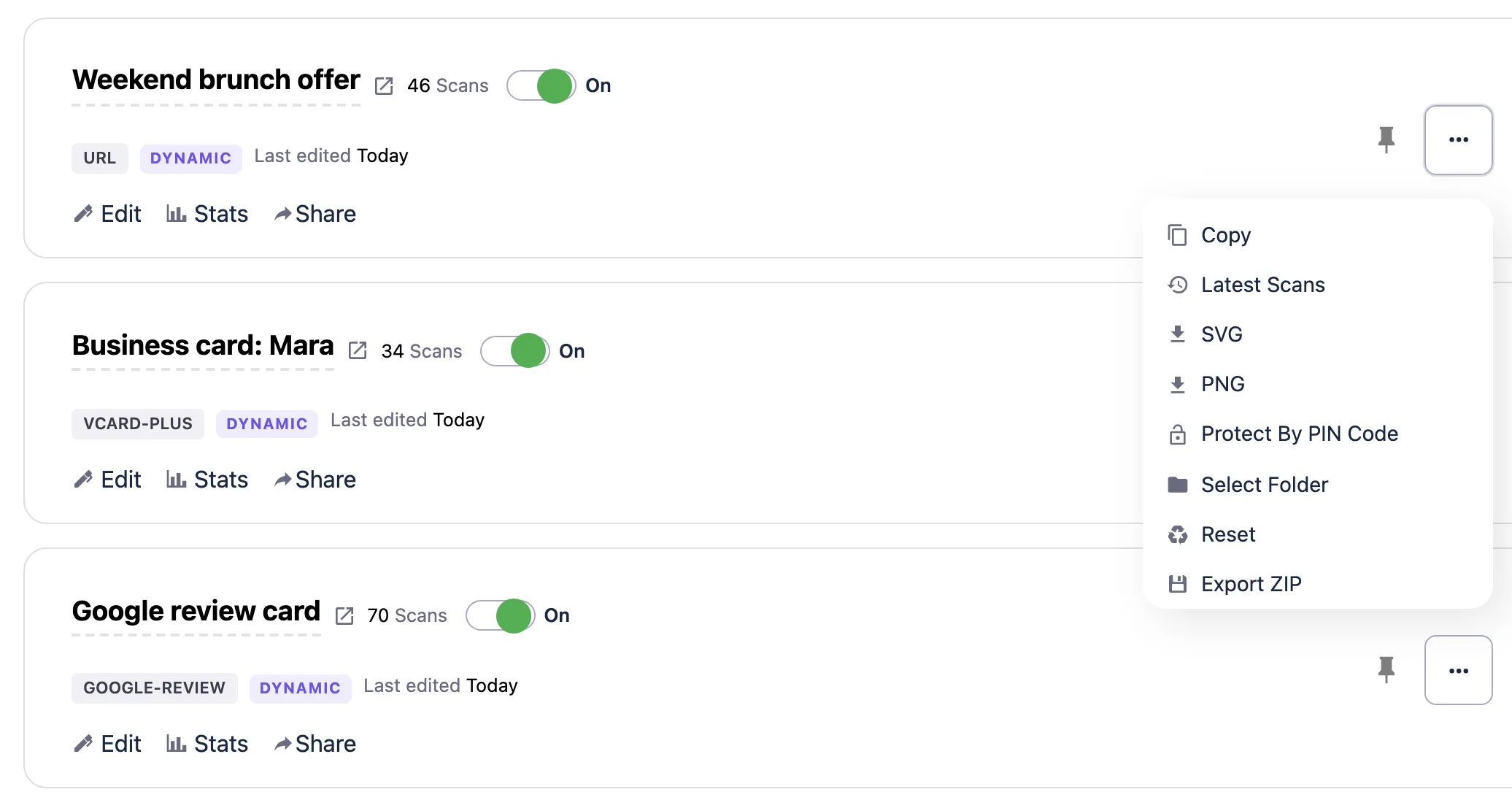
From your codes list, once the dynamic code is made.
- Open your codes listEach dynamic code’s row has Protect By PIN Code.
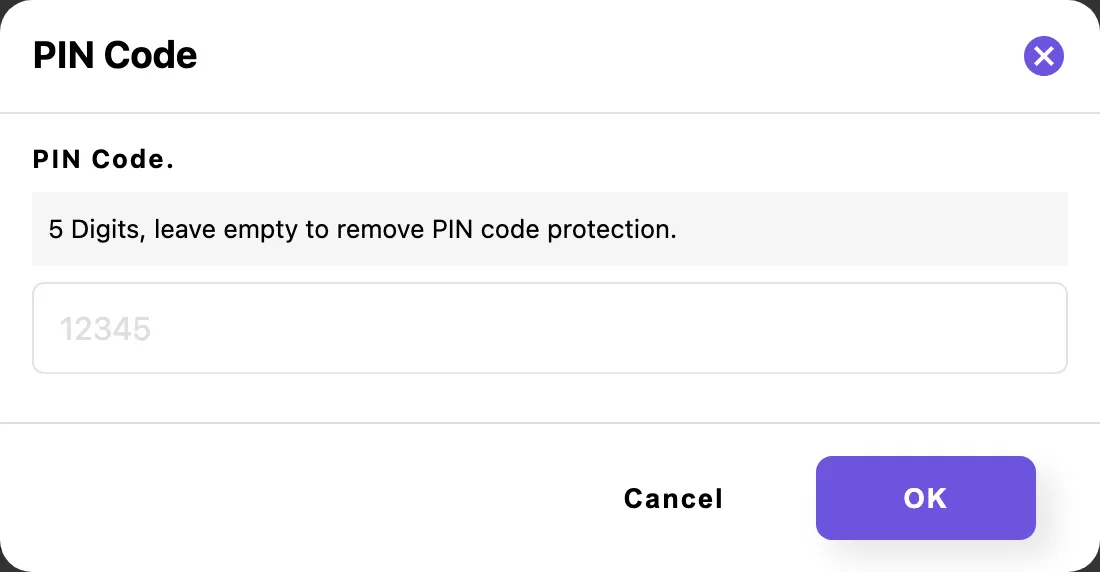
- Type the PINIn the PIN Code window: 5 digits.
- Click OKThe row now shows a closed lock and Change PIN Code.
To change the PIN, click Change PIN Code and type a new one. To remove it, leave the field empty and click OK.
A static code holds your link itself, with no page in between, so it cannot ask for a PIN. Static or dynamic explains which code to pick.
Folders
How do you sort QR codes into folders?
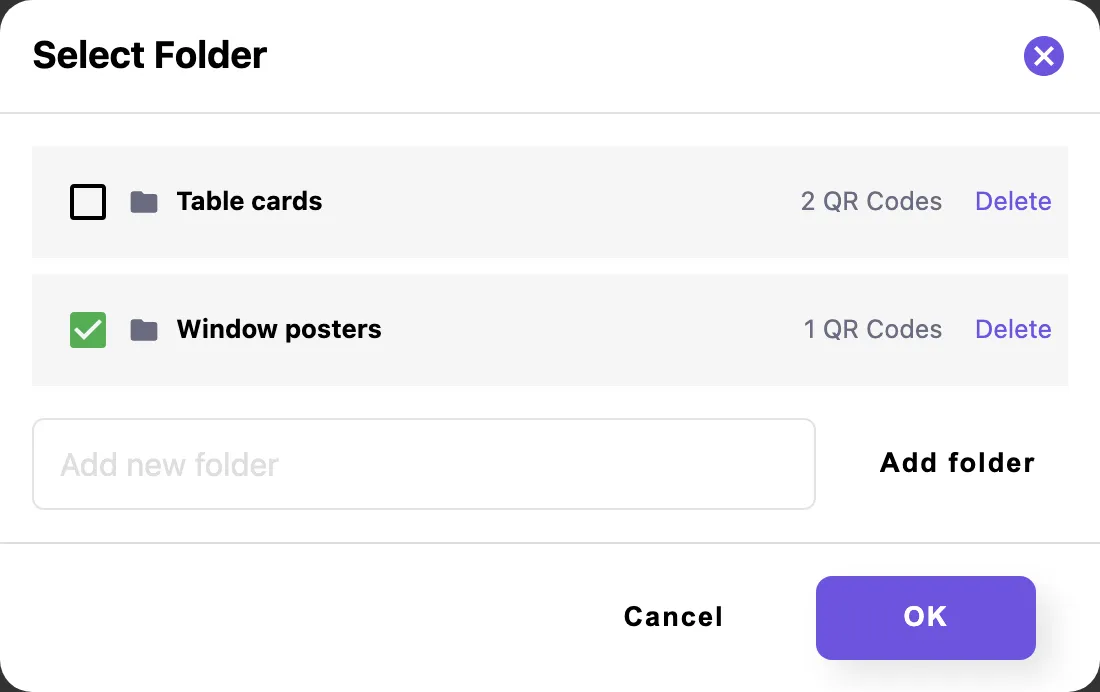
Click Select Folder in a code’s row. Pick a folder, or type a new name and click Add folder.
- A code sits in 1 folder at a time.
- Each folder shows how many codes it holds.
- To move many codes at once, select them in your codes list and click Move To Folder.
- Delete a folder from the same window. If it still holds codes, the app asks first.
Use folders for campaigns, locations, clients or teams.
Plans
Which plans include password protection?
Every plan has PIN protection, folders and unlimited dynamic codes, Free included. The plans differ in the QRplify screen: Free shows it on scans past 100 a month, Premium keeps it off 5 codes, and Unlimited keeps it off every code.
Every new account starts with 14 days of Premium, no card needed.
-
Free
$0 forever
Unlimited scans: 100 a month with no QRplify screen
-
Premium
$7.49 a month
Unlimited scans: no QRplify screen on 5 codes
-
Unlimited
$34.49 a month
Unlimited scans, never a QRplify screen
-
Lifetime
$279 once
Unlimited scans, never a QRplify screen
On every plan
- Folders + password protection
- Unlimited dynamic / editable QR codes
In the app
What does it look like in the app?
FAQ
Password and folder questions
Short answers, from what the app does today.
Can you password protect a QR code?
Yes, when it is a dynamic code. Add a 5-digit PIN after the code is made, and each scan opens a PIN page before your link. A static code holds your link itself, so it cannot ask for one.
How secure is a PIN on a QR code?
It is a light gate for convenience, not high security. It suits staff-only links and pages for a small group.
Can the PIN have letters, or only numbers?
Numbers only. The PIN is exactly 5 digits.
How do I remove the password from a QR code?
Click Change PIN Code in the code’s row, leave the field empty and click OK. That removes the PIN protection.
Is password protection free?
Yes. PIN protection and folders are on every plan, Free included. On Free, past 100 scans a month, a QRplify screen shows for 3 seconds before the PIN page.
Can I move several QR codes into a folder at once?
Yes. Select them in your codes list and click Move To Folder.
Get started
Protect your first code
A free account gives you unlimited dynamic codes, each one ready for a PIN and a folder, with no card.