
Blog
Why do some QR codes have a dinosaur?
On this page
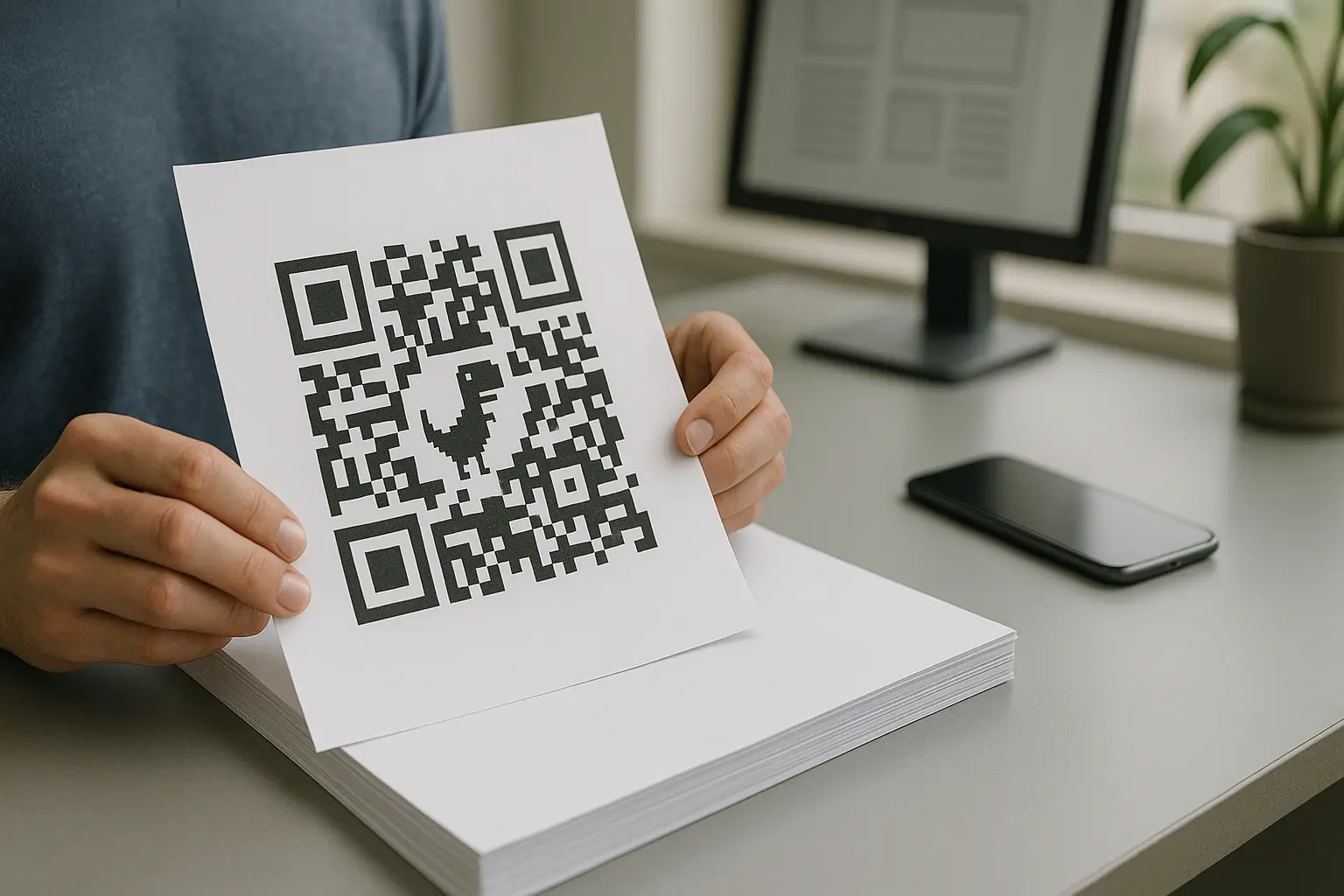
If you are wondering why do some qr codes have a dinosaur, the answer is simple: they were generated with Google Chrome’s built-in QR feature, which places a small Chrome offline dinosaur (T‑Rex) graphic in the center. It is not a different kind of QR code, and it usually still scans.
If you’re seeing a dinosaur in the middle of a QR code, it’s not a different type of QR code. It is a Chrome-generated design choice. The details matter if you need a clean, standard look for print, signage, or brand guidelines.
TLDR: The dinosaur appears because Chrome’s native QR generator inserts the Chrome T‑Rex icon in the center. You cannot remove it within Chrome, so use a different generator if you need a plain QR. The code can still scan because QR error correction can recover from some missing data, but you should always test.
What a “dinosaur QR code” is (and why it stands out)
A dinosaur QR code is a normal QR code with a small pixel-style dinosaur icon placed in the middle. It stands out because most QR codes are plain black-and-white modules with no center graphic.
This varies by tool. When the QR is created by Google Chrome’s built-in QR generator, the center often shows the Chrome offline dinosaur (T‑Rex) instead of a blank center area or a custom logo.
Quick identification checklist: Is this from Chrome?
- The center graphic looks like a pixelated T‑Rex.
- The QR likely came from sharing a webpage, not from a marketing platform.
- The person who made it likely used Chrome’s right-click sharing option on desktop.
- The QR looks like a basic, single-purpose code with no campaign naming or short-link behavior.
The key point: The dinosaur is a styling choice added by the generator, not a new QR code format.
Why some QR codes have a dinosaur: Google Chrome’s built-in QR generator
This varies by tool. Google Chrome includes a native feature that can generate a QR code for the page you are currently viewing, and that generator may insert the dinosaur as a distinctive visual element.
If your question is literally why does chrome qr code have dinosaur, it comes down to two practical reasons:
- It makes the QR look recognizable as Chrome-made.
- It fills the otherwise empty-looking center with a consistent icon.
Chrome’s built-in QR creation is different from many third-party generators in one big way: it is designed for quick sharing of a webpage you already have open, not for producing a neutral-looking asset for print or brand-controlled materials.
Where the dinosaur comes from: Chrome’s offline T‑Rex
This varies by tool. The dinosaur graphic is tied to the Chrome offline dinosaur (T‑Rex) that appears on Chrome’s offline error page. Many people recognize it from the built-in Easter egg game associated with that offline page.
If you searched google chrome dinosaur qr code meaning, the meaning is not a warning or a special code type. It is simply Chrome reusing its familiar offline character as an icon inside the QR.
What it signals in practice is only this:
- The QR was likely generated via Chrome’s native workflow.
- The creator did not customize the design, because Chrome applies its own look.
How to create a Chrome dinosaur QR code for a webpage

This varies by tool. On desktop Google Chrome, you can generate this style of code from the page itself using the menu label “Create QR code for this page.”
Screenshot-style visual to include
- A browser page with a right-click context menu open.
- The menu item “Create QR code for this page” highlighted.
- A caption noting that this workflow is what produces the dinosaur-centered QR in Chrome.
Example workflow: Generate in Chrome, then download
- Open Google Chrome on desktop and navigate to the webpage you want to share.
- Right-click anywhere on the page.
- Select “Create QR code for this page.”
- View the QR popup that appears.
- Save it using the download option shown in the popup.
People also look for create qr code for page chrome dinosaur because they want to reproduce the same look or confirm where it came from. If your goal is the opposite, this is also the workflow you avoid.
This varies by tool. Chrome typically presents the QR in a small dialog so you can save it, which is why users often search download chrome dinosaur qr code image when they want the file for printing or sharing in a document.
Can you remove the dinosaur from a Chrome QR code?
This varies by tool. If you are asking how to remove dinosaur from chrome qr code, the direct answer is that Chrome’s built-in generator does not provide a setting to remove the icon or export a plain version from the same popup.
If you need a standard-looking QR code, the practical workaround is to generate the QR using another generator that lets you control styling (including no center graphic), then test it.
Example workflow: Generate a clean QR without a center icon (non-Chrome generator)
Hypothetical example:
- Paste the same webpage URL into a generic QR code generator.
- Choose a plain black-and-white style with no logo or center image.
- Export the image at a size suitable for your use.
- Scan-test it before printing or distributing.
If your requirement is consistency for print, signage, or brand guidelines, using a generator that can output a neutral design is the simplest path.
Do dinosaur QR codes still scan reliably?

This varies by tool. In most cases, the answer to do dinosaur qr codes still scan is yes, because QR codes are designed with error correction that can recover from some lost or obscured data.
A center graphic works when it does not block the parts of the QR code that scanners rely on most, and when the generator has accounted for the obstruction. QR error correction uses Reed-Solomon encoding, which lets the scanner reconstruct missing pieces up to the level that was encoded into the symbol.
Quick checks before you rely on it
- Scan-test on at least two devices or camera apps.
- If printing, do a small-size print test and scan at typical distance.
- Ensure strong contrast between the dark modules and the light background.
- Avoid glare, heavy texture, or low-resolution exports that blur edges.
Even if your phone scans it once on screen, that does not guarantee it will scan on matte paper, glossy packaging, or at an angle. Testing is the safe habit, especially for anything public-facing.
What the QR code standard (ISO/IEC 18004) says about readability
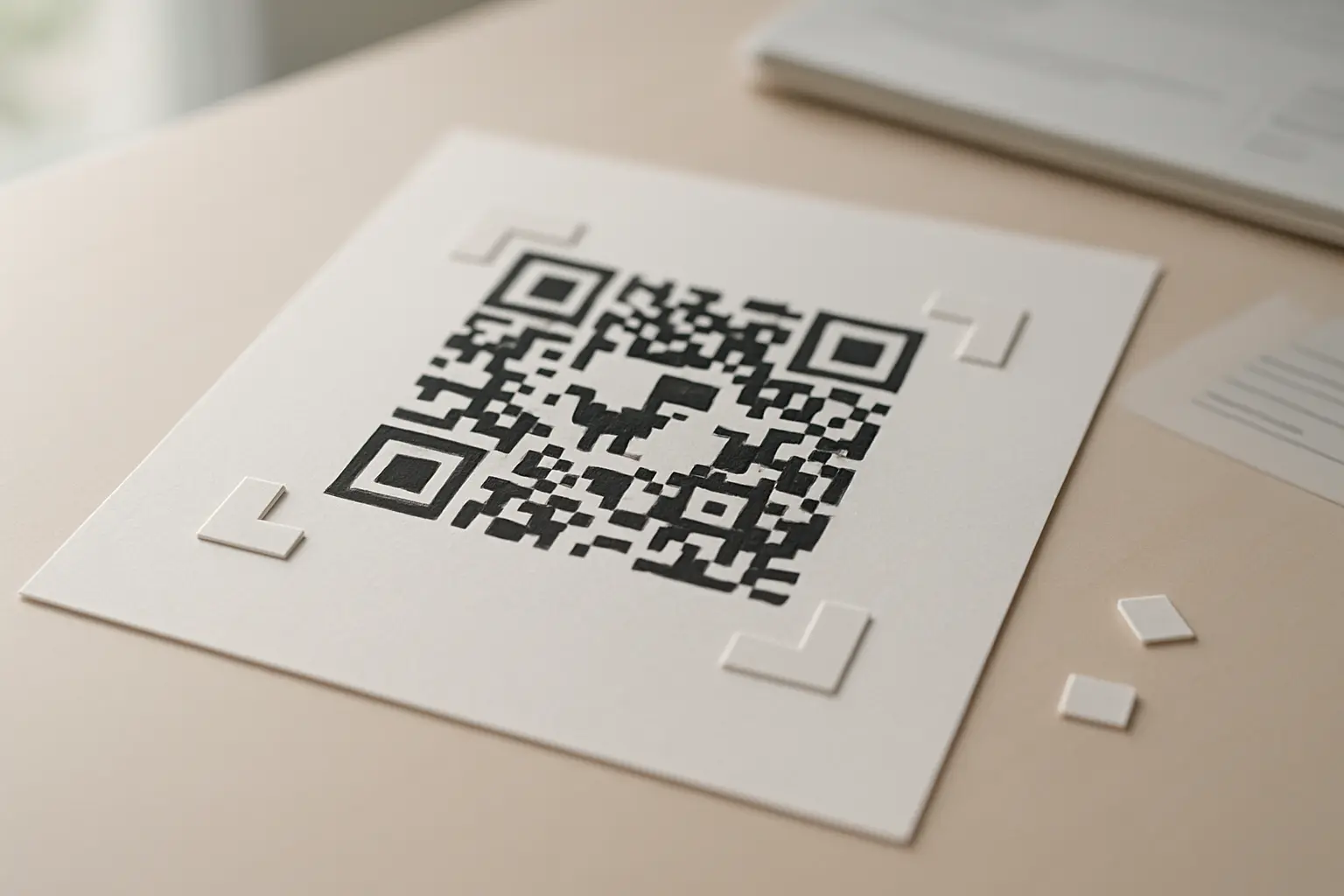
ISO/IEC 18004 defines QR code symbology characteristics, data encoding, symbol formats, and error correction rules. That standard framework is why many QR codes can tolerate a center icon and still scan, within limits.
A QR code is not just random blocks. Some structures are required and should not be obstructed:
- Finder patterns: The three large squares in the corners that help the scanner locate and orient the code.
- Timing patterns: The alternating modules that help the scanner determine the grid spacing.
- Alignment patterns: Extra target-like patterns that appear in larger symbols to correct distortion.
- Format information and data areas: Bits that indicate settings like error correction level, plus the encoded payload.
If you have seen the phrase dinosaur qr code error correction covers logo, the important idea is that error correction can compensate for missing modules, but it is not unlimited. Covering finder patterns or damaging the grid structure can break scanning even if the icon is small.
QR codes support four error correction levels: L (7%), M (15%), Q (25%), and H (30%). At a high level, higher levels store more redundancy, which can help when part of the symbol is degraded.
Annotated image to include
- A QR code with a dinosaur icon in the center.
- Labels pointing to the three finder patterns in the corners with a note: Do not cover.
- Labels pointing to the timing patterns with a note: Keep intact for reliable scanning.
- A shaded area in the center showing where a small overlay is less likely to cause problems than the corners.
Limitations of Chrome-generated dinosaur QR codes (static behavior)
This varies by tool. Chrome’s built-in generator is typically described as producing a static QR code, meaning the data is encoded directly into the symbol and does not change after you create it.
That matters because a static QR code behaves differently from a dynamic QR code:
- With a static QR code, the destination (like a webpage URL) is baked in. If the URL changes, the QR does not update.
- With a dynamic QR code, the QR can point to a redirect or managed destination that can be changed later, depending on how it is implemented.
If you are comparing chrome dinosaur qr code static or dynamic, the practical takeaway is that Chrome’s version is intended for quick sharing of a page as it exists, not for scenarios where you expect to update the destination after printing.
Static behavior is totally fine when you are sharing a stable URL with a friend or moving a link from desktop to phone. It is less ideal when you are printing the QR onto materials you cannot easily replace.
When you should avoid the dinosaur QR (professional/print use cases)
The Chrome dinosaur QR is convenient, but there are times when a plain, standard-looking QR is the better fit.
Decision guide: Chrome QR vs clean QR
Use Chrome’s built-in QR when:
- You are sharing a webpage quickly and informally.
- The QR will be used short-term or only on screens.
- You do not need design control.
Prefer a clean QR (no dinosaur) when:
- You are printing on packaging, posters, menus, or signage.
- You need a neutral black-and-white look for professional materials.
- You want to maximize scannability by keeping the symbol unobstructed.
- You want consistency across a set of QRs made by different people.
Chrome dinosaur QR vs standard QR (differences and when to use)
| Dimension | Chrome dinosaur QR | Standard-looking QR (plain) |
|---|---|---|
| How it is created | This varies by tool. Often made via Chrome’s built-in QR popup | Created in a generator that allows plain styling |
| Center graphic | Usually includes the T‑Rex icon | Usually no center overlay |
| Visual neutrality | More “branded” to Chrome’s look | More neutral for brand guidelines |
| Editing after printing | Static QR code behavior is typical | Depends on whether you choose static QR code or dynamic QR code |
| Best for | Quick sharing of a webpage | Print and professional contexts |
| Scan tolerance | Often fine, but depends on print quality and devices | Often strong when unobstructed and high contrast |
| Risk areas | Center overlay plus low-res exports can reduce margin for error | Poor contrast or damage still causes failures |
| Consistency across teams | Depends on who uses Chrome and how they export | Easier to standardize with a shared template |
Takeaway: The dinosaur is rarely a technical problem, but it can be a design and consistency problem.
To maximize scannability for print, keep the symbol high-contrast, keep quiet space around it, and avoid covering the finder patterns and timing patterns. If you must use a QR with a center graphic, test it in the exact size and material you plan to use.
FAQ
Is it a different kind of QR code? No. It is a regular QR code with a center graphic added by the generator, most commonly Google Chrome’s built-in feature.
The encoded data still follows the same QR symbology rules. The dinosaur is a visual overlay, not a different standard.
Is it safe to scan? In general, scanning a QR code is as safe as the destination it opens, so you should still check what link your device shows before you proceed.
The dinosaur does not itself indicate safety or risk. Treat it like any other QR and confirm the URL preview if your scanner shows one.
Why can’t I remove it in Chrome? This varies by tool. Chrome’s built-in QR popup does not include controls to remove the dinosaur or export an alternate plain design.
If you need design control, you typically need to generate the code outside Chrome using a generator with styling options.
What’s the simplest way to get a QR without the dinosaur? Generate the QR using a non-Chrome generator that supports plain output with no center image, then scan-test it on multiple devices.
If it is for print, do a small print test and scan at a normal distance to confirm it works in real conditions.