
Table of Contents
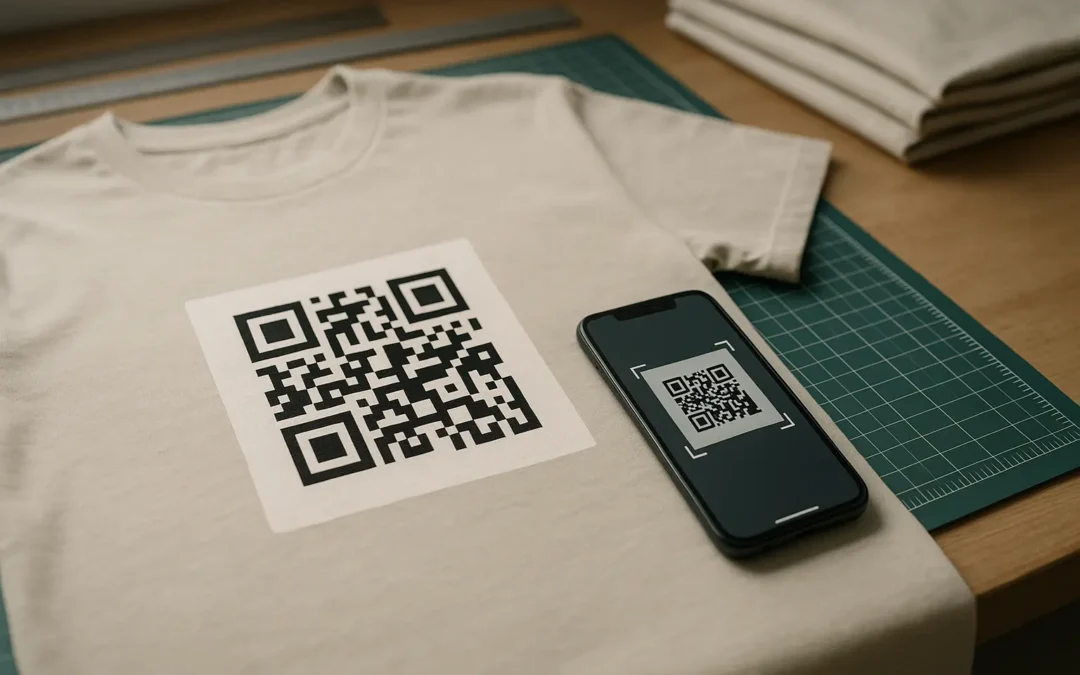
Yes, can you put a qr code on a shirt and keep it scannable, but only if you design for fabric. Use at least 2 × 2 cm and a quiet zone of four modules on every side. Keep contrast high, avoid glare, put it on a flat area, and test on multiple phones before bulk printing.
- Use at least 2 × 2 cm as a baseline size
- Keep a quiet zone (blank margin) of at least four modules on all sides
- Use high contrast (dark code on a light background)
- Avoid shiny finishes that create glare
- Place on flatter panels, away from seams and heavy stretch zones
- Export print-ready art (vector preferred)
- Test scans on multiple phones, lighting conditions, and while worn
Yes, you can put a QR code on a shirt, but fabric, placement, and print quality can make or break scannability. This guide walks you through a practical checklist before you print, with shirt-specific pitfalls like warping, wrinkles, glare, and wash wear.
TLDRPrinting a QR code on a shirt works when you treat it like a functional graphic, not decoration. Size it up, keep a proper quiet zone, choose a print method that holds crisp edges, and run real-world tests (worn, wrinkled, different phones, different lighting) before bulk production.
Quick answer: yes—if you design for real-world scanning
A shirt QR code fails for predictable reasons: it is too small, missing the quiet zone, low-contrast, warped by seams or stretch, or printed with soft edges. If you plan for those conditions up front, a qr code on a shirt can scan as reliably as many paper use cases.
Shirt-specific quick checks (print-prep)
- Check the code is at least 2 × 2 cm.
- Check there is a quiet zone of at least four modules on all sides.
- Check contrast is high (dark code on light background) and the surface is not glossy.
- Check placement is on a flatter area, away from seams, folds, buttons, or heavy texture.
- Check the file is print-ready (vector preferred) and print quality is sufficient.
- Check it scans on multiple phones in multiple lighting conditions.
- Check the landing page is a mobile-friendly landing page.
- Check whether the destination might change, and whether dynamic is a better fit.
End-to-end workflow (design → export → print → test)
If you are searching for how to put a qr code on a shirt, the workflow is simple but the details matter:
- Generate the QR data (usually a URL) and confirm the destination works on mobile.
- Set design constraints (size, contrast, quiet zone, error correction).
- Export print-ready artwork (vector when possible).
- Print a sample on the actual garment style and color.
- Test scans while worn, under real lighting, across multiple phones.
QR code shirt checklist (at-a-glance)
| Checkpoint | What to aim for on shirts | Why it matters on fabric |
|---|---|---|
| Size | At least 2 × 2 cm baseline | Smaller codes tend to fail faster with wrinkles and motion |
| Quiet zone | At least four modules of clear margin | Nearby graphics and seams behave like visual noise |
| Contrast | Dark code on light background | Low contrast is one of the most common scan failures |
| Finish | Matte or low-glare surface | Glare can block phone cameras from reading modules |
| Placement | Flat panels, away from seams and stretch points | Warping distorts the grid geometry |
| File | Vector formats preferred | Crisp edges keep module boundaries readable |
| Testing | Multiple phones, lighting, worn test | Shirt curvature changes what the camera sees |
Takeaway: Most failures happen before printing, because sizing, spacing, contrast, and placement were not treated as functional requirements.
What a QR code on a shirt is (and what it can link to)
A wearable QR code is a scannable 2D barcode printed on fabric that routes someone to digital content. Under the hood, QR codes are defined by standards such as ISO/IEC 18004:2024, which specifies things like module geometry and production quality considerations.
QR codes were invented in 1994 by DENSO WAVE, originally for tracking vehicles and parts. On apparel, the same basic pattern is used, including the finder/position detection patterns (the three large corner squares) that help a camera locate and orient the code.
Typical destinations for apparel QR codes include:
- A website homepage or campaign page
- A social profile or link hub
- Product information or authenticity details
- Event registration, check-in instructions, or schedules
Whatever you link to, assume it will be opened on a phone camera or QR scanner. That means the destination should load quickly, read well on small screens, and avoid tiny text or desktop-only layouts.
Common use cases for QR codes on clothing
A qr code t-shirt works best when the scan context is clear: who is scanning, from how far, and in what lighting and movement.
Common use cases include:
- Event registration / check-in: Link to check-in instructions or a confirmation page.
- Promotions and discount distribution: Link to a promo landing page (keep the URL stable if the shirt will be worn later).
- Brand storytelling / transparency: Link to a story page, sourcing details, or a behind-the-scenes video.
- Garment care instructions via care labels: Link to a care guide page that is easier to update than printed text.
- AR / phygital campaigns (optional): Link to an experience page that explains what to do after the scan.
Destination examples by use case (non-exhaustive):
- Event check-in: A check-in page with a large button and minimal form fields
- Promo: A single mobile page with offer details and clear terms
- Care guide: A page that matches the garment type and fabric blend
Design rules that matter most on fabric
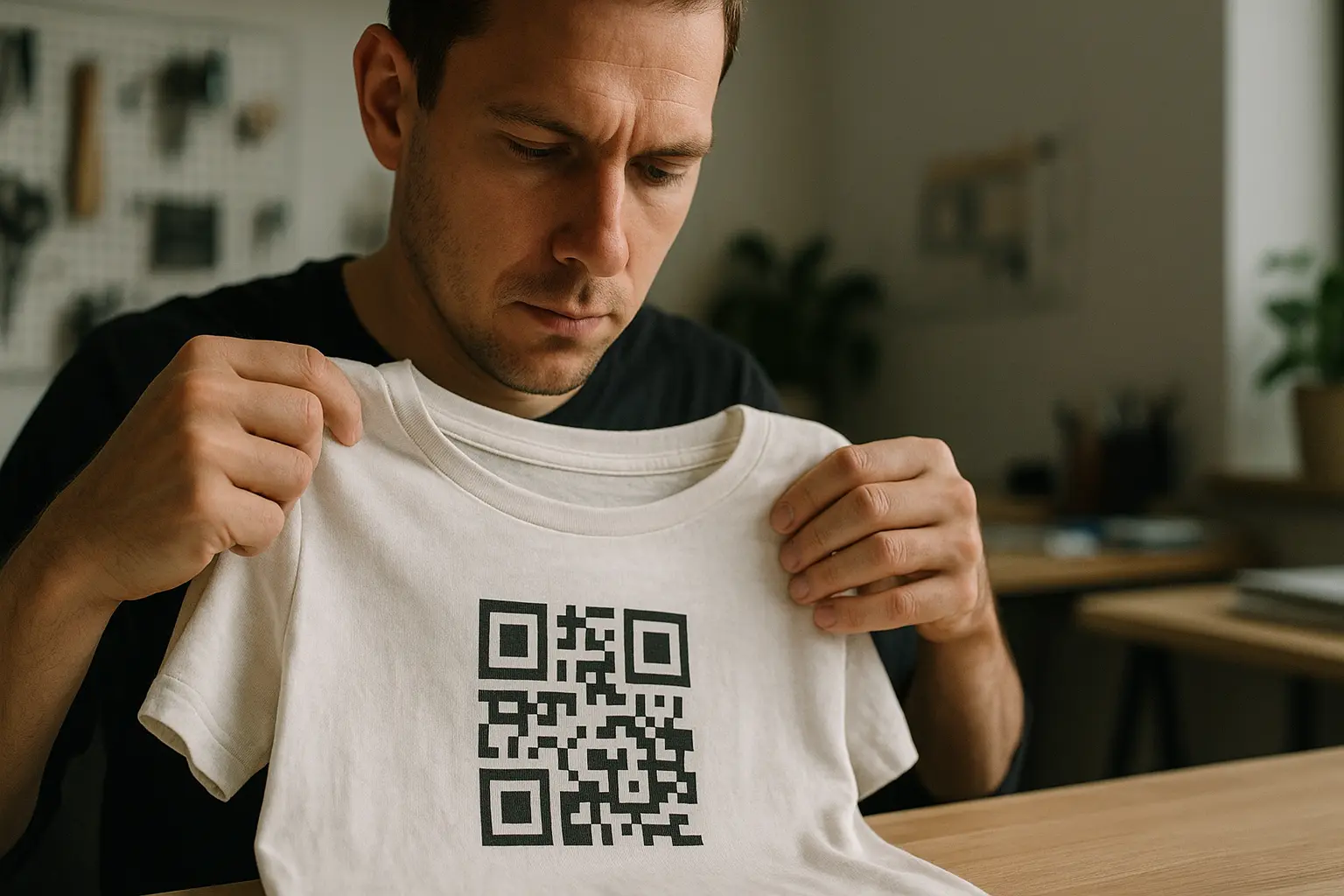
Shirts add variables that paper does not: texture, stretch, folds, and surface sheen. The goal is to keep the QR’s modules (the small square cells) and the edges between them crisp enough for a phone camera to interpret correctly.
Contrast first (and keep it simple)
High contrast is the safest path: a dark code on a light background. Pastel-on-pastel, mid-gray on heather gray, or busy patterns under the code are common reasons apparel qr codes fail.
Can I use colored QR codes instead of black and white on shirts? Yes, as long as contrast stays high and the code remains a solid, dark foreground against a light, uniform background.
- Prefer one dark ink color for the modules and a light background under them.
- Avoid gradients, textures, or photographic backgrounds inside the code area.
- Avoid glossy finishes that create bright hotspots.
Quiet zone: do not crowd the code
The quiet zone is the clear margin around the QR code. A reliable rule is at least four modules wide on all sides. On shirts, the quiet zone protects you from nearby text, seams, and design elements that can confuse detection.
Use this phrase as a reminder during layout review: qr code on a shirt quiet zone margin.
Quiet zone illustration (concept)
[Other design]  (Keep away)

    Quiet zone (blank margin)
  ┌─────────────────────────┐
  │                         │
  │   ┌─────────────────┐   │
  │   │  QR code area    │   │
  │   │  (modules +      │   │
  │   │  finder patterns)│   │
  │   └─────────────────┘   │
  │                         │
  └─────────────────────────┘

[Other design]  (Keep away)
Error correction: plan for wear, not perfection
QR codes support error correction levels L, M, Q, H. These correspond to approximate recovery capacities of 7%, 15%, 25%, and 30% respectively. Higher levels can help when part of the pattern is damaged, faded, or slightly distorted, which is more likely on clothing.
If you are deciding qr code on a shirt error correction level choose, many apparel designs lean toward Q or H because fabric introduces more risk, but results still depend on how the code is generated and printed.
Avoid over-customization that breaks the pattern
Customization can make the code less readable if it disrupts key structures like the finder/position detection patterns or blurs module edges.
Can I embed a company logo inside a QR code on a shirt? Sometimes, but it increases scan risk because it can cover modules and reduce redundancy.
- Keep the logo small and away from the finder patterns.
- Increase error correction if your generator allows it.
- Test aggressively on real fabric, not just on-screen.
Do and don’t examples (design spacing and contrast)
Do:
- Dark modules on a light solid background
- Clear margin around the code (quiet zone)
- Simple nearby text kept outside the quiet zone

Don’t:
- Put text or icons inside the quiet zone
- Use low-contrast colors (mid-tone on mid-tone)
- Print the code on a glossy patch that reflects light
How big should the QR code be (size + scan distance planning)
Minimum size guidance exists because phone cameras need enough pixels per module to detect the grid cleanly, even when the shirt moves. A common baseline is 2 × 2 cm for reliable scanning by most modern smartphones, and smaller becomes increasingly unreliable on fabric.
Use this as your sizing anchor: qr code on a shirt minimum size for scanning.
How large should a QR code be on a shirt for easy scanning? Use 2 × 2 cm as a minimum baseline, then size up based on expected scan distance, movement, and lighting.
- Size up if people will scan from farther away, or while walking.
- Size up for dim venues, outdoor glare, or darker shirt colors.
- Size up if your audience may include older phones with weaker cameras.
Is there a minimum distance from which a shirt QR code can be scanned? There is no single fixed minimum distance because it depends on code size, camera quality, and lighting, but larger codes are readable from farther away.
A practical approach is to decide how far away someone will likely stand, then print a sample at that size and test it in that context.
Best placement on a shirt (and where not to put it)
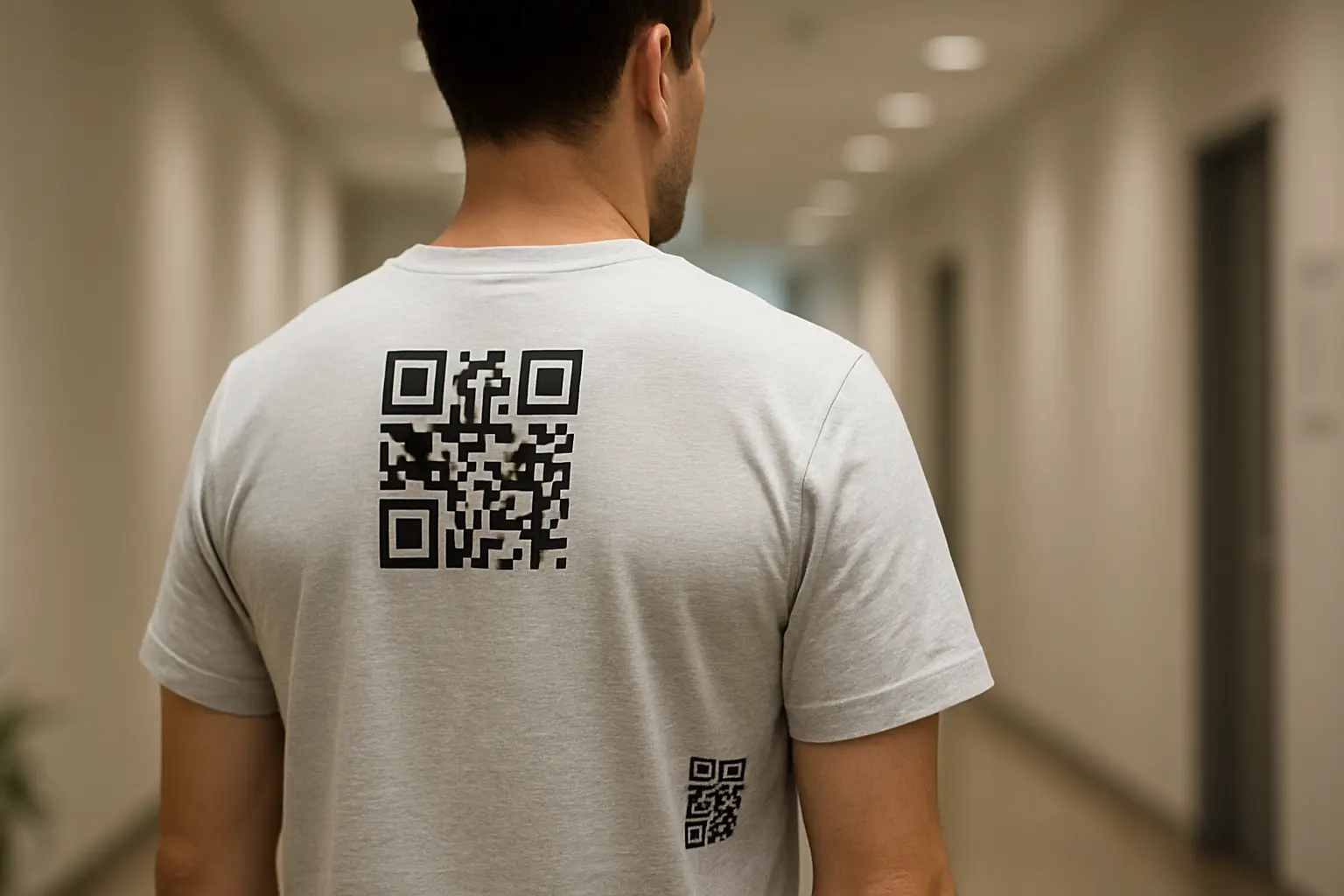
A QR code is a grid. Anything that bends or stretches that grid can make the modules appear uneven, and scanners may fail. For wearable qr codes, placement is as important as size.
Use this phrase when reviewing mockups: qr code on a shirt best placement areas.
Preferred placement zones tend to be:
- Upper back: Often the flattest large area and easy for others to scan.
- Center chest: Works when the shirt fits smoothly and the print area is not pulled tight.
- Lower hem area (front or back): Can work if it stays relatively flat and is not constantly folded.
Avoid placing the code:
- Across seams or stitching lines
- On sleeves, shoulders, or side panels with curvature
- Where the fabric often wrinkles (under arms, near waist folds)
- On heavy texture (ribbing) that breaks crisp edges visually
Placement diagram (best zones vs avoid zones)
Front view                      Back view
┌───────────────┐               ┌───────────────┐
│  Avoid: Neck  │               │  Avoid: Neck  │
│               │               │               │
│  Best: Chest  │               │ Best: Upper   │
│  (If flat)    │               │ Back (Large)  │
│               │               │               │
│ Avoid: Sleeve │               │ Avoid: Sleeves│
│ & Side seams  │               │ & Side seams  │
│               │               │               │
│ Best: Lower   │               │ Best: Lower   │
│ Front (If not │               │ Back (If not  │
│ folded)       │               │ folded)       │
└───────────────┘               └───────────────┘
Are there industry standards for QR code placement on garments? There is no single universal placement standard for apparel, but you can follow general QR requirements (quiet zone, contrast) and garment print best practices (flat panels, away from seams).
When in doubt, treat placement as a testable decision: print one sample and scan it while worn.
Printing methods for a scannable shirt QR code
Printing quality is what turns a perfect digital QR into a readable physical one. The goal is crisp module edges, consistent fill, and stable contrast after curing.
Keep this selection question in mind: qr code on a shirt best printing method.
This varies by tool. Heat transfer printing and direct-to-garment (DTG) are commonly recommended for QR codes on apparel because they can produce sharp edges and high contrast when produced well. Screen printing and dye sublimation can also work, depending on the substrate and how cleanly the method holds fine detail.
What is the best printing method to ensure QR codes stay scannable on t-shirts? This varies by fabric and production setup, but methods that hold crisp edges and consistent fill (often DTG, well-made heat transfer, or well-registered screen printing) tend to scan more reliably than methods that blur fine squares.
The fastest way to decide is to print a sample with your chosen method and test it while worn and under mixed lighting.
Comparing common apparel print methods for scannability
Include this in internal print conversations as a decision aid: qr code on a shirt heat transfer vs dtg.
| Method | Typical QR strengths | Typical QR risks to watch |
|---|---|---|
| Direct-to-garment (DTG) | Can render fine detail and gradients, good for one-off tests | Ink bleed on some fabrics, pretreatment variability |
| Heat transfer printing | Often sharp edges and solid fills, works on many fabrics | Press settings can affect crispness, film edges and shine can cause glare |
| Screen printing | Strong solids, good repeatability in production | Fine detail depends on mesh and registration, ink spread can soften modules |
| Dye sublimation | Durable on polyester blends, integrated into fabric | Limited to suitable substrates, design contrast must be planned carefully |
Takeaway: The print method matters less than whether your production can hold crisp, high-contrast module edges on the actual garment.
Why embroidery is risky for QR codes
Embroidery is often unreliable for scanning because stitches are not pixels. Thread can round corners, vary in thickness, and introduce texture that breaks the clean geometry scanners expect. Even if it looks like a QR code to the eye, the camera may not see stable module boundaries.
Exporting the QR code for printing (files + resolution)
Most shirt QR failures that look like “bad scanning” are actually file and output problems: the QR was exported too small, rasterized poorly, or blurred by scaling.
Use this reminder when exporting: qr code on a shirt svg eps pdf download.
Prefer vector for crisp edges
This varies by tool. Vector formats (SVG, EPS, PDF) scale cleanly, which helps keep module edges crisp at different print sizes. If your print workflow accepts vector artwork, start there.
If you must use raster, control DPI
This varies by tool. If you are exporting a raster image (like a PNG), guidance often recommends using a qr code on a shirt 300 dpi printing file at the final physical size to reduce pixelation and soft edges.
Practical export tips that help on shirts:
- Export at the exact size you intend to print if raster is required.
- Avoid resizing in design software after export, especially enlarging.
- Keep the background behind the QR solid and uniform.
- Preserve the quiet zone as part of the exported art, not as “space you plan to leave later.”
Durability: washing, fading, glare, and fabric distortion
Even a perfectly printed code can become harder to scan over time. Clothing is exposed to washing, friction, sunlight, stretching, and folding. Designing for durability usually means leaving more margin for error: larger size, higher contrast, and sometimes higher error correction.
If you want a short maintenance mindset, keep this phrase handy: qr code on a shirt wash durability tips.
Can QR codes survive repeated washing on clothing? Often yes, but durability depends on fabric, ink or transfer quality, curing, and care habits, so testing a washed sample is the safest check.
If the code is a core function (check-in, safety info), treat wash testing as part of production, not an afterthought.
Mitigations that usually help:
- Prefer matte finishes to reduce glare after wear and washing.
- Avoid placing the code where it rubs constantly (under straps or near waistline friction).
- Consider higher error correction (
QorH) when wear or partial obstruction is likely. - Avoid tiny codes that rely on perfect sharpness.
What causes QR codes on clothing to become unreadable over time? Fading, cracking, peeling, ink bleed, and repeated stretching can distort modules or reduce contrast until scanners cannot separate dark and light areas.
Glare can also increase over time if a surface becomes shinier from wear or if the print method leaves a reflective layer.
Can QR codes be printed on stretchy fabrics like spandex? Yes, but stretch can warp the grid and shift module geometry, which raises scan failure risk.
Place the code in a lower-stretch area, size it up, and test it while the garment is worn and under tension.
Static vs dynamic: what to choose for shirts
Shirts last longer than many campaigns. That makes the destination decision as important as print quality.
Use this as your decision label: qr code on a shirt static vs dynamic code.
- Static QR codes: The encoded data is fixed. If you encode a URL and that page later moves or the domain expires, the printed code still points to the old destination.
- Dynamic QR codes: This varies by tool. Many dynamic QR implementations let you change the destination after printing and may provide analytics like scan counts and device type.
Should I use static or dynamic QR codes on apparel? Use static when the destination will stay valid long-term and you control the URL stability, and consider dynamic when you expect the link or campaign content to change after printing.
For limited-time campaigns, dynamic can reduce the risk of shirts pointing at outdated pages.
Clear decision points (shirt-focused):
- Choose static if the destination is evergreen and you can keep the URL stable.
- Choose dynamic if the destination may change, you want to rotate campaigns, or you want scan analytics (tool-dependent).
- Choose dynamic if you are worried about dead links from future site changes.
What happens if the QR code’s destination link breaks? The QR code still scans, but it leads to an error because the URL no longer resolves or the page was removed.
To reduce that risk, use a stable URL strategy, or use a dynamic approach that lets you update the destination after printing (varies by tool).
Testing checklist before you print in bulk
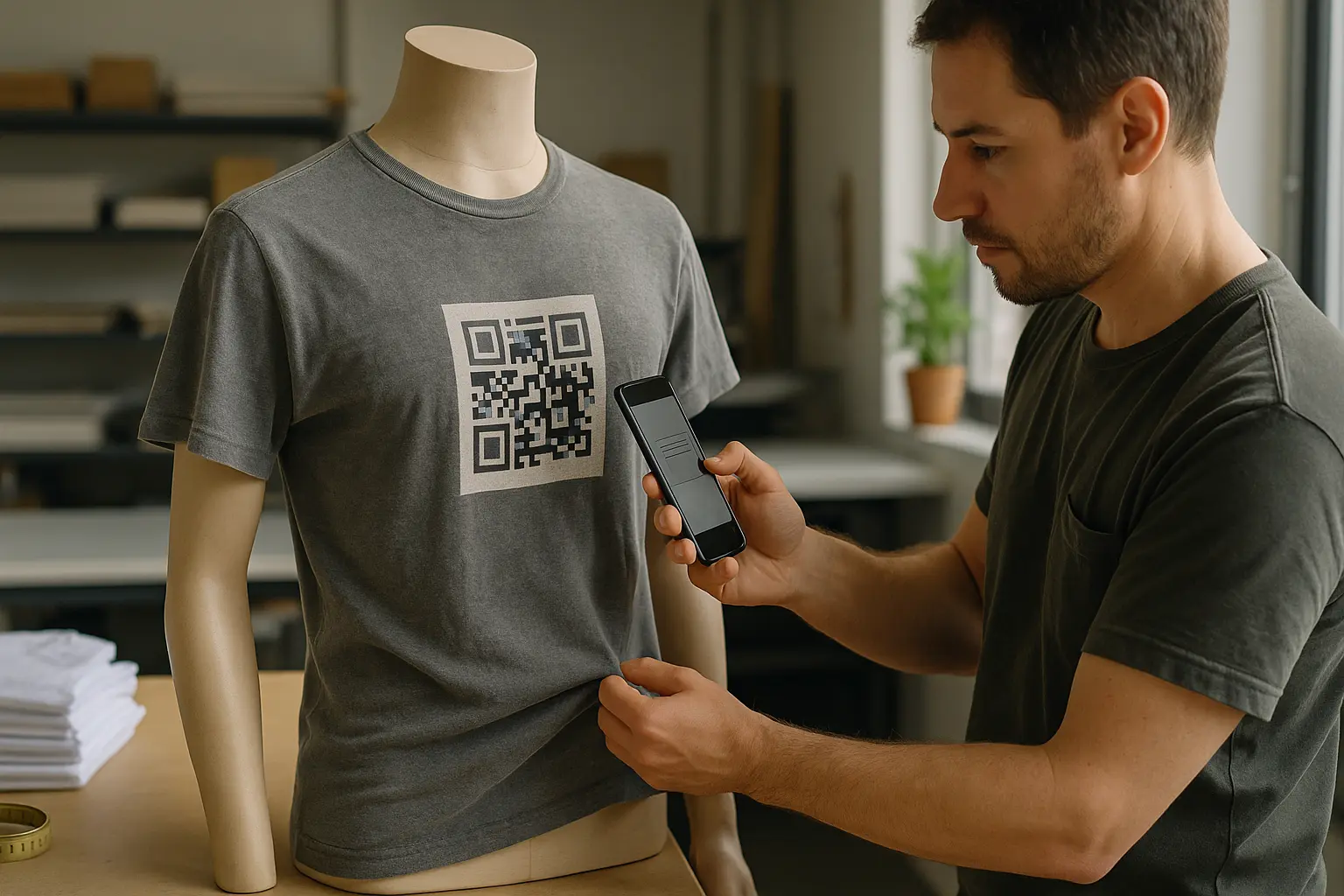
A shirt introduces real-world conditions you cannot simulate on a screen: curvature, wrinkles, motion, and mixed lighting. Use this phrase as a final gate: qr code on a shirt test before bulk printing.
How do I test if a QR code will scan properly before mass production? Print at least one physical sample on the actual garment and test it across multiple phones, lighting conditions, and while worn.
Also test the destination on mobile data, not just on fast Wi‑Fi, to catch slow or broken pages.
Pre-production test plan (shirt-specific)
- Print one sample at final size, on the final shirt color and fabric.
- Test with multiple phones, including iOS and Android, and include at least one older device.
- Test in multiple lighting conditions, including bright indoor light and dim light.
- Test while the shirt is worn, including slight movement and natural wrinkles.
- Test from realistic angles, not just straight-on at perfect distance.
- If wash durability matters, wash the sample and retest after drying.
- Open the destination and confirm it is a mobile-friendly landing page with readable text and clear navigation.
Common scan failures and fixes
| Problem seen on shirt | Likely cause | Fix to try |
|---|---|---|
| Scans sometimes, fails while worn | Fabric curvature or wrinkles | Move to flatter placement, increase size, test worn again |
| Fails in bright light | Glare from reflective surface | Switch to matte finish or reduce shine in the print layer |
| Fails on some phones | Code too small or low contrast | Increase size, boost contrast, simplify background |
| Fails after printing but scanned on screen | Blurry or pixelated art | Export vector or use higher-quality raster at final size |
| Fails near other graphics | Quiet zone violated | Restore at least four modules of quiet zone |
| Becomes worse after wear | Fading, cracking, stretching | Increase size and contrast, consider higher error correction |
Takeaway: If it does not scan easily on a moving, worn shirt, it is not ready for production, even if it scans perfectly on a flat table.
FAQ
Washing durability
QR codes can remain scannable through washing, but results depend on fabric, ink or transfer quality, curing, and care. If durability matters, wash a printed sample and retest before committing to a full run.
Minimum size
A common baseline is 2 × 2 cm for reliable scanning by most modern smartphones. On shirts, sizing up is often the safer choice because wrinkles, stretch, and motion all make scanning harder.
Colored vs black-and-white
Colored codes can work if you keep strong contrast and a solid, uniform background behind the modules. Avoid low-contrast color pairs and avoid shiny finishes that create glare.
Broken links
A QR code does not “break” when a page changes, but it will still send people to whatever was encoded. Static codes point to the same destination forever, while dynamic setups may let you update the destination later (varies by tool).
Stretchy fabrics
Stretch adds distortion risk. Use placement that stays relatively flat under tension, size the code up, and retest while the garment is worn.
Logo customization tradeoffs
Adding a logo can reduce readability by covering modules or interfering with the finder patterns. If you include a logo, keep it small, keep clear spacing, consider higher error correction, and test with multiple phones.
Standards references (ISO/IEC 18004)
QR codes are defined in standards such as ISO/IEC 18004:2024, which covers the symbology characteristics and quality considerations. For shirt printing, the most practical takeaways are preserving clean module geometry, keeping the quiet zone, and maintaining adequate contrast and print quality.
Ready to Create Your Own QR Code?
Join thousands of users creating beautiful QR codes.
Try QRplify FreeNo credit card required